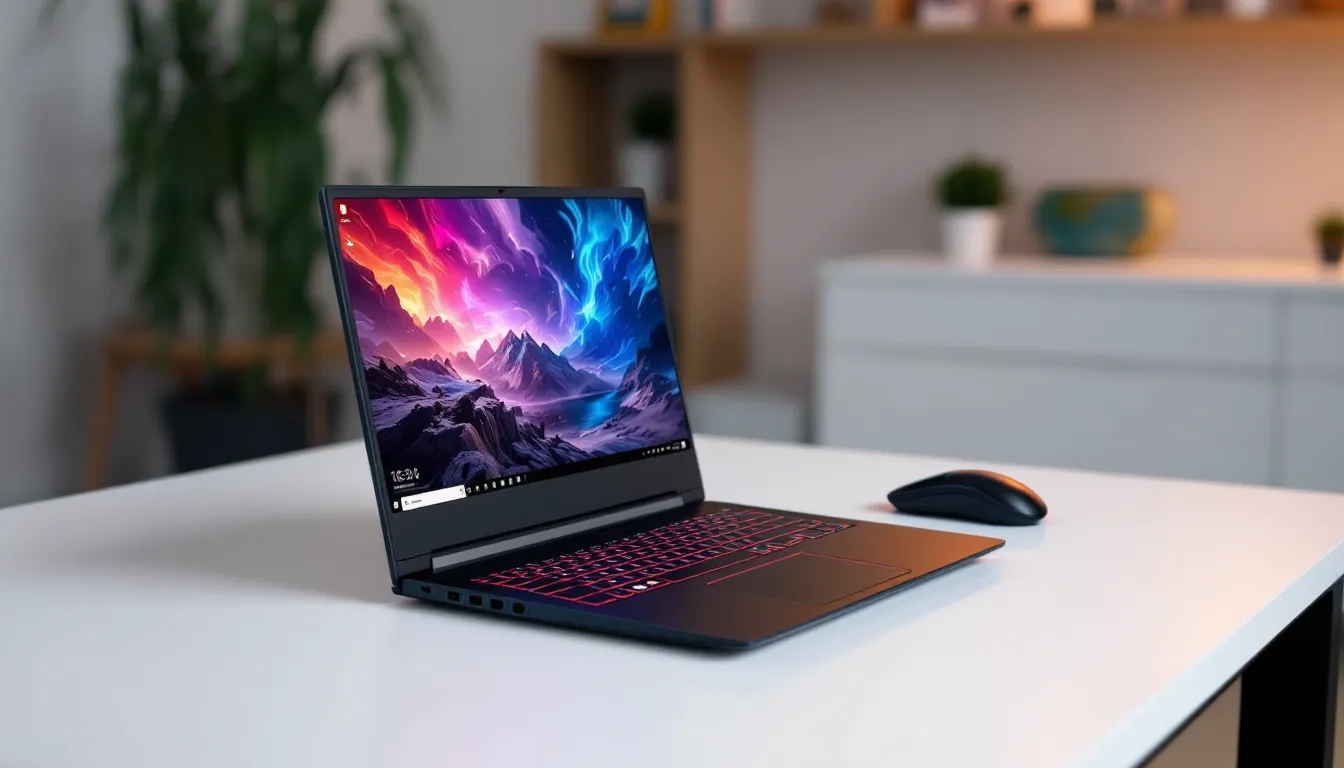

Budget gaming laptops have a reputation problem. Too often, they promise performance but deliver thermal throttling, dim displays, and keyboards that feel like soggy cardboard. The Lenovo IdeaPad Gaming 3 15IHU6 doesn’t dodge all of those bullets, but it lands enough solid hits to deserve a closer look, especially if you’re shopping in 2026 on a tight budget and need a machine that can handle both gaming sessions and everyday productivity.
Released initially in 2021, this model has aged into a compelling value proposition. While it’s no longer cutting-edge, the 15IHU6 variant packs 11th Gen Intel hardware and GTX/RTX options that still hold up for 1080p gaming. The question isn’t whether it can run modern titles, it’s whether the compromises make sense for your playstyle and budget. Let’s dig into what this laptop actually delivers.
Key Takeaways
- The Lenovo IdeaPad Gaming 3 15IHU6 delivers solid 1080p gaming performance for budget-conscious players, with RTX 3050/3050 Ti configurations achieving 50-80 fps in most modern AAA titles at high settings.
- Configuration matters significantly—single-channel RAM cripples performance by 15-25%, so prioritize dual-channel 16GB setups and verify the 120Hz display option for competitive esports titles.
- Thermal management requires active cooling assistance; expect 80-85°C CPU temperatures under load and 5-10% fps throttling after 30-45 minutes, making a laptop stand or cooling pad essential for extended sessions.
- The IdeaPad Gaming 3 15IHU6 shines in upgradeability with accessible RAM and storage bays, allowing budget builders to save money by adding dual-channel RAM or expanding storage themselves.
- In 2026, this laptop is a used/refurbished market value play at $500-$700 for RTX-equipped configs; it’s ideal for esports players, casual AAA gamers, and students balancing coursework with gaming, but skip it for content creation or high-refresh competitive play.
Overview: What Makes the IdeaPad Gaming 3 15IHU6 Stand Out
The IdeaPad Gaming 3 15IHU6 occupies that tricky middle ground between entry-level and mid-range gaming laptops. It’s not trying to compete with premium rigs, and that’s actually its strength. Lenovo aimed for a machine that delivers playable frame rates without requiring a second mortgage.
What separates this model from the pack is its configuration flexibility. Depending on the SKU, you’re looking at either an NVIDIA GTX 1650, GTX 1660 Ti, or RTX 3050/3050 Ti paired with Intel’s 11th Gen Core i5-11300H or i7-11370H. That’s a meaningful spread, the GTX 1650 barely scrapes by in 2026, while the RTX 3050 Ti offers respectable 1080p performance with ray tracing capability (even if you won’t always want to enable it).
The build avoids the aggressive “gamer aesthetic” that makes some laptops embarrassing to use in public. There’s RGB backlighting on the keyboard, but it’s subdued. The chassis is plastic, but it doesn’t creak like cheaper alternatives. For students or professionals who game after hours, that restraint matters.
Key Specifications at a Glance
Here’s what you’re working with in the most common configurations:
Processor:
- Intel Core i5-11300H (4 cores, 8 threads, up to 4.4 GHz) or
- Intel Core i7-11370H (4 cores, 8 threads, up to 4.8 GHz)
Graphics:
- NVIDIA GeForce GTX 1650 (4GB GDDR6)
- NVIDIA GeForce GTX 1660 Ti (6GB GDDR6)
- NVIDIA GeForce RTX 3050 (4GB GDDR6)
- NVIDIA GeForce RTX 3050 Ti (4GB GDDR6)
Display:
- 15.6-inch IPS, 1920×1080 (Full HD)
- 120Hz or 60Hz refresh rate (varies by configuration)
- 250 nits brightness (typical)
Memory & Storage:
- 8GB or 16GB DDR4-3200MHz (dual-channel or single-channel depending on config)
- 256GB, 512GB, or 1TB PCIe NVMe SSD
Connectivity:
- Wi-Fi 6 (802.11ax)
- Bluetooth 5.1
Ports:
- 1x USB-C 3.2 Gen 1
- 3x USB-A 3.2 Gen 1
- 1x HDMI 2.0
- 1x 3.5mm audio jack
- 1x Ethernet (RJ-45)
Battery:
- 45Wh (smaller configs) or 52.5Wh
Weight:
- Approximately 2.25 kg (4.96 lbs)
The spec sheet tells you what’s possible, but real-world performance depends heavily on which configuration you snag and how well you manage thermals.
Design and Build Quality: Gaming Aesthetics on a Budget
Lenovo didn’t reinvent the wheel here, and that’s fine. The IdeaPad Gaming 3 15IHU6 uses a shadow black plastic chassis with subtle blue accents around the vents and a small “Gaming” logo on the lid. It won’t turn heads, but it also won’t get you roasted in a coffee shop.
The plastic construction is the first compromise. It’s sturdy enough for daily use, no alarming flex in the keyboard deck or lid, but it feels decidedly budget-tier compared to metal-clad alternatives. The upside? It keeps the weight down and the price competitive.
Chassis and Portability
At 2.25 kg, the 15IHU6 is portable by gaming laptop standards, though it’s no ultrabook. Tossing it in a backpack for a LAN party or moving between rooms is no hassle, but you’ll feel it on longer commutes. The 15.6-inch footprint is standard, so it fits most laptop sleeves without issue.
The hinge feels solid with no wobble during typing or adjusting the screen angle. It opens to about 140 degrees, not a full 180, but enough for lap use or awkward desk angles. Build quality won’t wow anyone, but it’s competent. No creaking, no cheap-feeling seams.
Display Quality and Gaming Experience
The 15.6-inch IPS panel is where things get interesting, and slightly frustrating. If you scored a 120Hz model, you’re in decent shape for fast-paced shooters and competitive titles. The higher refresh rate makes a noticeable difference in CS:GO, Valorant, and Overwatch 2, smoothing out motion and reducing input lag.
If you’re stuck with the 60Hz variant, expect a more sluggish feel in twitchy games. It’s playable, but you’re giving up a tangible edge in competitive scenarios.
Color accuracy and brightness are the display’s weak points. The panel covers roughly 45-50% of NTSC (about 60-65% sRGB), which translates to washed-out colors compared to higher-end displays. Brightness tops out around 250 nits, so outdoor or brightly-lit room gaming is a struggle. For dimly-lit bedrooms or basements, it’s adequate.
Viewing angles are solid thanks to the IPS tech, no color shift when you’re not dead-center. Contrast is acceptable for gaming but won’t impress if you’re coming from an OLED or high-gamut panel.
Performance Breakdown: How It Handles Modern Games
Performance is where the rubber meets the road, and the IdeaPad Gaming 3 15IHU6’s results depend almost entirely on which GPU you’re running. The CPU matters less than you’d think for gaming, both the i5-11300H and i7-11370H are quad-cores with similar clock speeds, so the difference in-game is minimal.
Processor and Graphics Card Performance
The Intel Core i5-11300H handles modern games without bottlenecking the GTX 1650 or RTX 3050. You’ll see 70-90% CPU usage in demanding titles, but it keeps frame pacing smooth. The i7-11370H offers slightly higher clocks and better multi-threaded performance, which helps in CPU-heavy games like Total War or Cities: Skylines, but the fps gain in most titles is negligible, maybe 3-5% at best.
GPU performance is the real differentiator:
GTX 1650 (4GB): This is the budget floor. It struggles with 2024-2026 AAA titles at high settings. Expect 30-45 fps in demanding games like Starfield or Alan Wake II, even on low-medium settings. Esports titles like Valorant, League of Legends, and Rocket League run great, easily over 100 fps at 1080p medium-high.
GTX 1660 Ti (6GB): A solid step up. You’ll get 50-70 fps in most AAA games at medium-high settings. The extra VRAM helps with texture quality. This GPU ages better in 2026 for 1080p gaming.
RTX 3050 (4GB): Entry-level ray tracing, but you’ll rarely want to enable it, performance tanks to 25-35 fps with RT on. Stick to rasterization and you’re looking at 60-80 fps in most modern titles at high settings. DLSS support gives a 15-25% fps boost when available, which is clutch for staying above 60 fps.
RTX 3050 Ti (4GB): About 10-15% faster than the base RTX 3050. This is the sweet spot config if you can find it. It delivers consistent 1080p high/ultra performance in most games from 2023-2025, with newer 2026 releases running well at medium-high.
Real-World Gaming Benchmarks
Here’s how the RTX 3050 Ti config performs across a range of titles (1080p, high settings unless noted):
- Valorant: 200+ fps (competitive settings), 140-160 fps (high)
- Fortnite: 90-120 fps (high), 140+ fps (performance mode)
- Call of Duty: Warzone 2.0: 70-85 fps
- Cyberpunk 2077: 45-55 fps (high), 60-70 fps (medium with DLSS Balanced)
- Elden Ring: 55-60 fps (high settings, occasional dips)
- Spider-Man Remastered: 65-75 fps (high), 85-95 fps (medium)
- Hogwarts Legacy: 50-60 fps (high), 70-80 fps (medium)
- Counter-Strike 2: 110-140 fps (high)
The GTX 1650 drops roughly 30-40% across the board, making 1080p medium the realistic target for AAA games. Independent testing from Tom’s Hardware confirms similar performance tiers for these mobile GPUs under sustained load.
RAM and Storage Configuration
RAM configuration is critical and often overlooked. Some SKUs ship with single-channel 8GB, which cripples performance, you’ll lose 15-25% fps in many games due to memory bandwidth starvation. If you’re stuck with single-channel, upgrading to dual-channel 16GB is non-negotiable.
Most 16GB configs ship dual-channel, which is the baseline you should accept. RAM is DDR4-3200MHz, which is adequate for 11th Gen Intel.
Storage is a single M.2 NVMe slot with a 2.5-inch SATA bay for expansion. The included NVMe drives are usually mid-tier, decent read speeds (2000-2500 MB/s), but write speeds drop under sustained loads. For gaming, it’s fine. Load times are reasonable, not spectacular.
Thermal Management and Cooling System
This is where budget laptops typically fall apart, and the IdeaPad Gaming 3 15IHU6 is no exception, though it’s not a disaster.
Lenovo uses a dual-fan setup with heat pipes connecting the CPU and GPU. Under load, the fans spin up aggressively, hitting 45-50 dB, which is loud enough to be distracting without headphones. The good news? Thermals stay mostly in check.
The CPU typically sits around 80-85°C during gaming, occasionally spiking to 90°C in demanding scenes. That’s within spec but warmer than ideal. The GPU runs cooler, usually 70-78°C, which is comfortable.
Thermal throttling shows up during extended sessions, after 30-45 minutes of gaming, you’ll see a 5-10% fps drop as the system pulls back clocks to manage heat. It’s not catastrophic, but it’s noticeable in frame time consistency.
The bottom panel and keyboard deck get warm, especially above the WASD keys. Not painful, but enough that sweaty palms become an issue during intense matches. Lifting the rear with a laptop stand or cooling pad helps significantly.
Lenovo’s Q-Control software lets you toggle between performance modes. Performance mode pushes clocks higher but maxes out fan noise. Balanced mode is the sweet spot for most gaming. Quiet mode is useless for anything demanding, fps drops 20-30% and temps still climb.
Keyboard, Touchpad, and Input Experience
The keyboard is surprisingly decent for a budget gaming laptop. It uses a full-size layout with a numpad, which is handy for productivity but pushes the main typing area slightly left of center, something that takes a day or two to adjust to.
Key travel is around 1.5mm with a soft, slightly mushy bottom-out. It’s not mechanical, and it lacks the snappy feedback of premium laptop keyboards, but it’s comfortable for long sessions. No key wobble or missed inputs during testing.
The blue LED backlighting is single-zone, you can’t customize per-key colors or effects. Brightness has two levels plus off. It’s bright enough for dark rooms but washes out in daylight.
WASD and arrow keys have no special treatment or texture, which is a missed opportunity. Anti-ghosting handles multiple simultaneous inputs without issue, so complex key combos work fine.
The touchpad is a standard plastic surface, about 4.5 x 3 inches. It’s accurate enough for casual use and web browsing, but most gamers will plug in a mouse immediately. Palm rejection works well, no accidental cursor jumps during typing.
No clickable touchpad buttons, it’s a single-piece design with integrated left/right clicks. The click action is loud and slightly stiff. For gaming, this laptop assumes you’re bringing your own peripherals.
Battery Life and Power Efficiency for Gamers
Let’s get this out of the way: no gaming laptop has good battery life while gaming, and the IdeaPad Gaming 3 15IHU6 is no exception. The 52.5Wh battery (or 45Wh in some configs) drains fast under load.
Gaming unplugged nets you about 1.5 to 2 hours depending on the title and settings. Playing something lightweight like Stardew Valley or Hades at 60 fps might stretch that to 2.5 hours. Demanding AAA games drain the battery in under 90 minutes, and performance tanks due to power throttling, fps drops by 40-60% on battery.
For light productivity, web browsing, YouTube, document editing, expect 4 to 5 hours with the screen at 50% brightness. That’s mediocre compared to productivity laptops but typical for gaming machines.
The GPU doesn’t fully disable when idle, which hurts efficiency. Nvidia Optimus tries to route lighter tasks through the integrated Intel Xe graphics, but the discrete GPU still sips power in the background.
Charging uses a 135W or 170W brick (depending on config). It’s chunky but necessary, expect 0-80% in about 90 minutes, full charge in 2+ hours.
Connectivity and Port Selection
Port selection is practical and covers most use cases without feeling cramped:
Left side:
- 1x USB-C 3.2 Gen 1 (no Thunderbolt 4, no charging support)
- 1x 3.5mm combo audio jack
Right side:
- 2x USB-A 3.2 Gen 1
- Kensington lock slot
Rear:
- 1x USB-A 3.2 Gen 1
- 1x HDMI 2.0
- 1x Ethernet (RJ-45 Gigabit)
- DC power input
The rear port placement is smart, cables don’t clutter your desk sides, which matters for mouse space. HDMI 2.0 supports up to 4K 60Hz output, so hooking up an external monitor is straightforward. No DisplayPort, but the USB-C technically supports DP Alt Mode (though not all configs enable it).
The lack of Thunderbolt 4 is a bummer for future-proofing. You can’t use high-speed external GPUs or take advantage of faster TB4 docks. For most gamers, it’s not a dealbreaker, but it’s a limitation.
Wi-Fi 6 is included and performs well. Latency is low and stable in online games, assuming your router supports it. Bluetooth 5.1 handles wireless peripherals without noticeable lag.
The Ethernet port is the most reliable option for competitive gaming. Latency-sensitive titles like Valorant or League of Legends benefit from the wired connection.
Audio Quality and Immersion
Built-in audio is serviceable but not impressive. The IdeaPad Gaming 3 15IHU6 uses a 2x 2W stereo speaker setup bottom-firing near the front edge.
Volume gets loud enough for a small room, but clarity suffers at max volume, things get tinny and compressed. Mids and highs are decent, but there’s almost no bass presence. Explosions and low-frequency effects sound flat.
Nahimic 3D Audio software is included for virtual surround and EQ tweaking. It helps a bit, the “Movie” profile adds some artificial bass, and the “Gaming” profile boosts footsteps and directional cues in shooters. The effect is subtle, though, and most serious gamers will skip the built-in speakers entirely.
The 3.5mm headphone jack is clean with no noticeable hiss or interference. Output impedance is low enough to drive most gaming headsets without an external amp. If you’re using wired headphones, audio quality is solid.
For immersion, plug in a decent headset or external speakers. The laptop’s built-ins are fine for YouTube or casual single-player games, but they won’t do justice to sound design in atmospheric titles like Resident Evil or Hellblade.
Upgradeability: Can You Expand RAM and Storage?
Upgradeability is one of the IdeaPad Gaming 3 15IHU6’s best features. The bottom panel comes off with about a dozen Phillips-head screws, no glue, no clips that snap. Inside, you get easy access to both RAM slots and storage.
RAM: Two SO-DIMM slots, both accessible. If you bought a config with single-channel 8GB, you can add a matching 8GB stick for dual-channel. Max supported is 16GB (2x 8GB DDR4-3200MHz). Some users report 32GB (2x 16GB) working, but it’s not officially supported and may cause instability.
Storage: One M.2 2280 NVMe slot (occupied by the factory drive) and one 2.5-inch SATA bay. The SATA bay includes a mounting bracket and cable, so adding a secondary HDD or SATA SSD is plug-and-play. This is great for storing large game libraries without constantly juggling installs.
Upgrading is straightforward and won’t void your warranty in most regions (check local laws). Just be careful with the ribbon cable for the battery when you pop the panel.
Wi-Fi card is also replaceable if you want to swap in a newer module, though the included Intel AX200 is already solid.
There’s no Thunderbolt, so external GPU setups aren’t viable. You’re locked into the discrete GPU you bought with.
Who Should Buy the IdeaPad Gaming 3 15IHU6 in 2026?
In 2026, the IdeaPad Gaming 3 15IHU6 is a used or refurbished market play. New stock is rare, and when available, it’s often overpriced compared to newer budget options. But if you find one at the right price, say, $500-$700 for an RTX 3050/3050 Ti config, it’s a compelling deal.
Best Use Cases for Different Gamer Types
Esports players: If you’re grinding Valorant, CS2, League, or Rocket League, the 120Hz display and RTX 3050/3050 Ti combo delivers 100+ fps consistently. The cooling holds up during marathon sessions, and the keyboard is good enough for competitive play.
Casual AAA gamers: For single-player story games at 1080p medium-high, the IdeaPad Gaming 3 15IHU6 is fine. You won’t max out settings in the latest releases, but 50-70 fps is playable. Just manage expectations, this isn’t a rig for 4K or ultra presets.
Students and hybrid users: If you need a laptop that can handle coursework during the day and gaming at night, this is a solid pick. It’s not flashy, and the battery life supports a full day of lectures (without gaming). Portability is decent for a 15.6-inch machine.
Budget builders: If you’re handy with upgrades, buying a cheap single-channel 8GB config and adding your own RAM and storage can save money. The easy access makes DIY upgrades low-risk.
Who should skip it:
- Content creators: The dim, low-gamut display and quad-core CPU struggle with video editing and color-critical work.
- VR gamers: The RTX 3050/3050 Ti barely meet minimum VR specs. You’ll hit performance walls quickly.
- High-refresh competitive players: If you need 240 fps in esports titles, the CPU and GPU won’t deliver. Look at higher-tier hardware.
Alternatives to Consider
If the IdeaPad Gaming 3 15IHU6 doesn’t check all your boxes, here are some 2026 alternatives:
Acer Nitro 5 (2021-2022 models): Similar price range on the used market, often with Ryzen 5000 series CPUs and RTX 3060 options. Better GPU performance, but thermals are louder and hotter. Reviews from Laptop Mag note the Nitro 5’s stronger gaming chops at the cost of build quality.
ASUS TUF Gaming F15 (2021 models): Comparable specs with 11th Gen Intel and RTX 30-series GPUs. Slightly better build quality and cooling, but typically $50-100 more expensive used. The TUF also has a MIL-STD-810H rating for durability.
Dell G15 5510/5511: Another 11th Gen Intel option with RTX 30-series graphics. Dell’s thermal design is a bit better, and the display options include a 165Hz panel. Usually priced higher, though.
HP Victus 15 (2021): Budget competitor with similar specs. The Victus has a cleaner design and slightly better display brightness, but keyboard feel and upgradeability trail the IdeaPad.
Newer budget options (2025-2026): If you’re buying new, consider entry-level 2025/2026 models with RTX 4050 or AMD Radeon RX 7600M. They’ll outperform the 15IHU6 significantly, often for only $100-200 more. Check current listings on PCMag for updated budget gaming laptop roundups.
Conclusion
The Lenovo IdeaPad Gaming 3 15IHU6 is a time capsule from 2021 that still has value in 2026, if the price is right. It won’t blow anyone away, but it handles 1080p gaming competently, offers real upgradeability, and doesn’t look like a spaceship. The 120Hz display, RTX 3050/3050 Ti configs, and easy DIY upgrades make it a practical choice for budget-conscious gamers who know what they’re getting into.
Thermals are warm, the display is dim, and the battery life is mediocre. But those are expected compromises at this price point. If you can snag one used for under $700 with an RTX GPU, dual-channel RAM, and a 120Hz panel, it’s a solid entry into 1080p gaming. Just don’t expect it to keep pace with 2026’s latest AAA releases at high settings, adjust your expectations and it’ll serve you well.