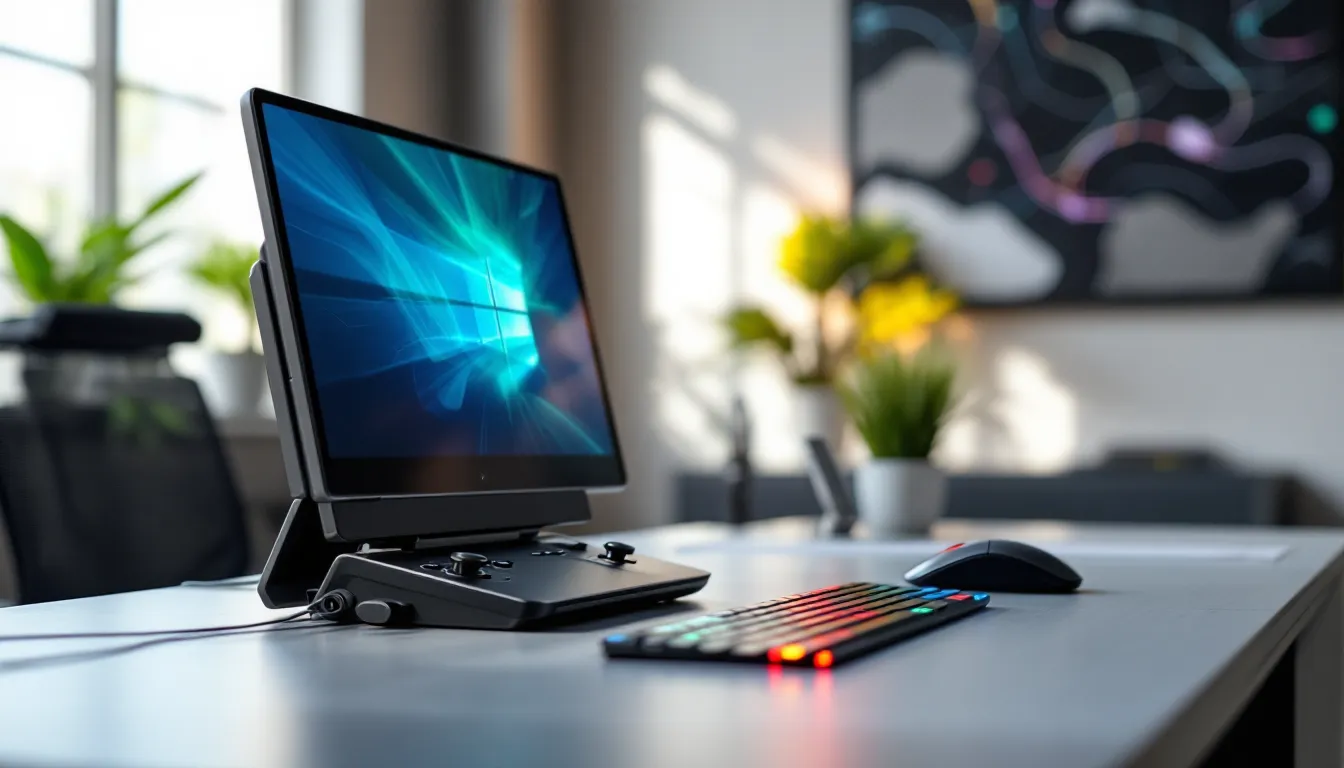

The handheld gaming computer market has exploded over the past few years, transforming from a niche curiosity into a legitimate contender for serious gamers. What started with Valve’s Steam Deck in 2022 has evolved into an entire ecosystem of portable PC powerhouses that can run everything from indie roguelikes to AAA titles at respectable settings. These devices aren’t just fancy mobile gaming phones or souped-up emulation machines, they’re full-fledged Windows or Linux PCs squeezed into a form factor you can hold like a controller.
If you’re tired of being chained to your desk or you’re looking for something more versatile than a traditional console, handheld gaming computers offer a compelling middle ground. They deliver genuine PC gaming performance with the freedom to play anywhere, whether that’s on a flight, during your lunch break, or just sprawled on the couch. This guide breaks down everything you need to know about handheld gaming PCs in 2026, from specs and performance tiers to real-world usability and how they stack up against other portable options.
Key Takeaways
- A handheld gaming computer is a full-featured PC with integrated controllers that runs native Windows or Linux games, giving you access to your entire Steam library and all PC game launchers without the need for mobile ports or streaming.
- Handheld gaming computers deliver superior performance compared to mobile gaming and tablets, featuring active cooling systems, higher frame rates, better graphics, and responsive built-in controllers that mobile devices cannot match.
- Premium models like the ASUS ROG Ally X and Lenovo Legion Go lead the 2026 market with AMD Ryzen Z2 processors and 120Hz+ displays, while budget options starting at $349-$399 make handheld gaming PCs accessible to more gamers than ever.
- Battery life depends heavily on TDP management, display size, and game demands—expect 1.5–3 hours for AAA titles and 4–6 hours for indie games, with simple adjustments to resolution and power settings extending playtime significantly.
- Handheld gaming computers offer unmatched flexibility compared to consoles and tablets, supporting full system customization, game mods, emulation, cloud gaming, and use as a portable workstation alongside gaming.
- Handheld PCs excel for travelers, couch gamers, and emulation enthusiasts, but competitive gamers chasing maximum performance and budget-conscious players may find gaming laptops or consoles better suited to their needs.
What Is a Handheld Gaming Computer?
A handheld gaming computer is a portable device that runs a full PC operating system and can play PC games natively, not through streaming or mobile ports. Think of it as a gaming laptop with the keyboard stripped away and replaced with integrated controllers on either side of the screen. These devices typically feature x86 processors (AMD Ryzen or Intel Core chips), dedicated or integrated GPUs, and support for game launchers like Steam, Epic Games Store, Xbox App, and GOG.
Unlike smartphones running Android or iOS, handheld gaming PCs don’t rely on mobile-specific game versions. They run the same executables you’d install on your desktop, with full access to your existing Steam library, Game Pass catalog, or any other PC game store. That means mods, community patches, and Steam Workshop content all work exactly as they would on your main rig.
How Handheld Gaming Computers Differ from Traditional Consoles
Traditional consoles like the PS5, Xbox Series X, or Nintendo Switch operate on closed ecosystems with curated game libraries. You’re limited to what’s available in their respective stores, and system-level customization is minimal. Handheld gaming computers, by contrast, offer the full flexibility of PC gaming.
You can install any software, tweak system settings, adjust graphics options on a per-game basis, and even dual-boot multiple operating systems if you’re feeling adventurous. Want to run Discord, OBS, or browser tabs alongside your game? No problem. Need to use your device as a portable workstation when you’re not gaming? Install productivity apps just like any PC.
The trade-off is complexity. Consoles are plug-and-play by design, while handheld PCs require some technical comfort. You’ll encounter driver updates, compatibility quirks, and the occasional need to adjust TDP settings or graphics profiles to balance performance and battery life.
Key Components That Power Handheld Gaming PCs
The heart of any handheld gaming computer is its APU (Accelerated Processing Unit), a chip that combines CPU and GPU on a single die. As of 2026, most devices use AMD Ryzen Z1, Z1 Extreme, or the newer Ryzen Z2 series, which offer significant performance-per-watt improvements over older architectures. Intel has also entered the space with its Meteor Lake and Lunar Lake mobile chips, though AMD still dominates the handheld market.
RAM typically ranges from 16GB to 32GB of LPDDR5, which impacts both multitasking and game performance in memory-intensive titles. Storage comes in the form of M.2 NVMe SSDs, usually starting at 512GB, with some premium models offering 1TB or 2TB options. Most devices include a microSD card slot for expandable storage, which is essential given how large modern game installs have become.
The display is another critical component. You’ll find panels ranging from 7 inches to 10.1 inches, with resolutions between 1280×800 and 1920×1200. Higher-end models feature 120Hz or even 144Hz refresh rates for smoother gameplay in competitive titles. Battery capacity varies widely, from 40Wh in budget models to 65Wh in premium devices, directly affecting how long you can game unplugged.
Why Handheld Gaming Computers Are Revolutionizing Portable Play
The appeal of handheld gaming computers goes beyond just portability. They represent a fundamental shift in how and where PC gaming can happen, breaking down the barriers that have traditionally kept high-quality gaming tethered to desks and living rooms.
Full PC Game Library Access on the Go
One of the most compelling reasons to invest in a handheld gaming computer is instant access to your entire PC game library. If you’ve been building a Steam collection for years, you don’t need to rebuy ports or wait for publishers to release console versions. Everything you own, from your backlog of indie gems to the latest AAA releases, is playable on day one.
This extends to game launchers beyond Steam. The Xbox App gives you access to Game Pass for PC, which includes hundreds of titles for a monthly subscription. Epic Games Store, GOG, EA App, Ubisoft Connect, and Battle.net all work on handheld PCs. You’re not locked into a single storefront or subscription service.
Emulation is another major draw. While Nintendo’s lawyers would prefer you didn’t, handheld gaming PCs have the horsepower to run emulators for everything from SNES to PS3 and Switch. The community around retro gaming on these devices is massive, with preconfigured front-ends like EmuDeck making setup relatively painless.
Superior Performance Compared to Mobile Gaming
Mobile gaming has come a long way, but it still can’t touch what handheld gaming computers deliver. Even flagship smartphones throttle performance after a few minutes of intensive gaming to manage heat and battery drain. Handheld PCs are designed with active cooling systems, usually small fans and vapor chambers, that allow sustained performance during longer sessions.
Frame rates and visual fidelity are in a different league. While mobile versions of games like Genshin Impact or Call of Duty Mobile offer impressive graphics for phones, they’re still scaled-down experiences. On a handheld PC, you’re running the full PC version with all the graphical bells and whistles, just dialed back to settings appropriate for the hardware. That means better textures, more complex lighting, higher draw distances, and smoother frame rates than mobile gaming can offer in 2026.
Controls are also a massive upgrade. Built-in thumbsticks, D-pads, face buttons, and triggers feel more like traditional controllers than the cramped touch controls or clip-on accessories mobile gamers deal with. Gyro aiming, back buttons, and programmable inputs are standard on most handheld PCs, giving you precision that touchscreens simply can’t match.
Customization and Mod Support
PC gaming’s greatest strength has always been customization, and handheld gaming computers inherit that DNA fully. Want to mod Skyrim with 150 plugins? Install them just like you would on desktop. Need to tweak config files to unlock frame rates or adjust FOV? You have complete file system access.
This flexibility extends to the system itself. Many users install custom software like CryoUtilities for Steam Deck or Handheld Companion for Windows devices to fine-tune TDP limits, adjust fan curves, or remap controls on a per-game basis. You can overclock (or underclock) components, adjust resolution scaling, and use tools like ReShade or SpecialK to modify how games look and perform.
Community-created controller profiles are another underrated feature. Games that weren’t designed with controllers in mind can be made playable through shared Steam Input configurations, complete with radial menus, touch menu overlays, and gyro mouse emulation.
Top Handheld Gaming Computers in 2026
The handheld gaming PC market has matured significantly, with options at nearly every price point. Here’s how the landscape looks in early 2026.
Premium Performance Options
At the top end, you’re looking at devices that challenge the performance of mid-tier gaming laptops while maintaining reasonable portability.
ASUS ROG Ally X (2026 Refresh) remains a powerhouse with its AMD Ryzen Z2 Extreme APU, 32GB LPDDR5X RAM, and 1TB NVMe storage. The 7-inch 1920×1080 120Hz VRR display is one of the sharpest in the category, and the 80Wh battery addresses the biggest complaint about the original model. Windows 11 runs natively, giving you maximum compatibility but requiring some UI tweaks for handheld use. Performance in demanding titles like Cyberpunk 2077 or Starfield hits 45-60 FPS at medium-high settings. Price sits around $799-$849 depending on sales.
Lenovo Legion Go distinguishes itself with an 8.8-inch 2560×1600 144Hz display, the largest and highest-res screen in the space. Detachable controllers and a built-in kickstand make it versatile for different play styles. It runs the same Z2 Extreme chip as the ROG Ally X with 16GB RAM standard. The extra screen real estate is gorgeous for strategy games and RPGs, though it does impact battery life. At $749, it’s positioned as the premium all-rounder.
Steam Deck OLED 1TB Limited Edition isn’t the newest hardware (still rocking the custom AMD Van Gogh APU from 2023), but the OLED screen upgrade and refined ergonomics keep it competitive. SteamOS 3.5 remains the most polished handheld gaming interface, and Valve’s ongoing software support means compatibility improves constantly. Performance trails the newer AMD chips, but for indie games, older AAA titles, and anything pre-2023, it’s still excellent. The $649 price point (for the standard 512GB OLED model) makes it a solid value.
Mid-Range Value Picks
AYANEO 2S targets enthusiasts who want premium build quality without the absolute highest specs. Its AMD Ryzen 7 7840U (not the Z-series, but similar performance), 32GB RAM, and 7-inch 1920×1200 screen deliver excellent 1080p gaming. The device feels more refined than most Windows handhelds, with better button quality and a more premium chassis. At $699 for the base config, it’s priced competitively against the big names while offering a bit more personality.
GPD Win 4 (2026 Edition) appeals to those who want a sliding keyboard for versatility beyond gaming. The 6-inch 1080p screen is smaller, making it ultra-portable, and the AMD Ryzen AI 9 365 chip punches above its weight class for efficiency. It’s not the best pure gaming experience due to the compact size, but for travelers who need a hybrid device, it’s compelling at $799.
ONEXPLAYER 2 Pro brings a larger 8.4-inch screen with an AMD Ryzen 7840U and up to 64GB RAM in high-end configs. The premium here is that extra RAM and larger battery (65Wh), which makes it great for multitasking or running VMs alongside gaming. Starting at $899, it’s positioned between mid-range and premium.
Budget-Friendly Entry Points
Steam Deck LCD 256GB is still available refurbished or on sale for $349-$399, making it the most accessible entry point into handheld PC gaming. Performance is adequate for most games at 720p-800p, and SteamOS eliminates Windows licensing costs. It’s not cutting-edge, but it’s a proven platform with massive community support.
ASUS ROG Ally (Original Z1 Model) dropped to $449-$499 after the X launched, offering Windows 11 and decent performance from the non-Extreme Z1 chip. It’s noticeably slower in demanding games but handles indie titles, older AAA games, and emulation without breaking a sweat.
Ayn Loki Max comes in around $299-$349 depending on configuration and represents the absolute budget floor for handheld gaming PCs that aren’t junk. It uses an AMD Ryzen 6800U (older gen), has a smaller 6-inch screen, and build quality is basic, but it runs full Windows and can handle less demanding titles reasonably well.
Essential Features to Consider Before Buying
Not all handheld gaming computers are created equal, and the wrong choice can mean buyer’s remorse. Here’s what actually matters when you’re shopping.
Display Quality, Size, and Refresh Rate
Screen size impacts both portability and immersion. Seven-inch displays hit the sweet spot for most users, large enough for readable text and detailed visuals, small enough to hold comfortably for hours. Anything above 8 inches starts feeling more like a small tablet than a handheld, which affects how you’ll use it.
Resolution matters more than you’d think. While 1280×800 is fine for lighter games, the jump to 1920×1080 or 1920×1200 makes a noticeable difference in sharpness, especially for text-heavy games or productivity use. But, higher resolution means more GPU load, which tanks battery life and requires lowering settings in demanding games. Some devices let you run at lower internal resolutions with upscaling, but native panel resolution still impacts UI clarity.
Refresh rate is the current battleground. Sixty Hz is standard, but 90Hz, 120Hz, and even 144Hz panels are appearing in premium devices. For competitive shooters or fast-paced action games, higher refresh rates deliver smoother motion. The catch? They drain battery faster and require consistent frame rates to actually benefit. Many users end up capping at 60 FPS anyway to extend playtime.
OLED vs. LCD is a personal preference. OLED delivers deeper blacks, better contrast, and more vibrant colors, perfect for dark RPGs and horror games. LCD panels are brighter in direct sunlight and don’t have burn-in risks. As gaming hardware reviewers at Tom’s Guide consistently note in their testing, OLED looks stunning indoors but struggles outdoors.
Battery Life and Charging Options
Battery life is the Achilles heel of handheld gaming PCs. Expect 1.5 to 3 hours in demanding AAA games at high settings, or 4 to 6 hours in lighter indie titles or older games. Battery capacity (measured in Wh) is your first indicator, 40Wh devices will struggle to hit 2 hours in intensive games, while 60Wh+ models can stretch to 3-4 hours.
TDP management is critical. Most devices let you adjust power limits from 5W to 25W or even 30W. Running at full TDP gives you maximum performance but murders battery life. Dialing back to 10-15W can double your playtime with acceptable performance drops in many games. Learning to tune TDP on a per-game basis is essential for getting the most out of your device.
Charging speed varies widely. Some devices support 45W or 65W USB-C PD charging, which can top up the battery in 90 minutes. Others use slower 30W charging that takes 2-3 hours. A few premium models support charging while playing without thermal throttling, which is crucial if you plan to use your handheld as a desktop replacement with a dock.
Battery degradation is real. Lithium-ion cells in these devices typically retain 80% capacity after 500-800 charge cycles. If you’re gaming daily, that’s roughly two years before you notice significant battery life reduction. Replaceable batteries are rare but worth considering if long-term ownership matters to you.
Storage Capacity and Expandability
Modern games are massive. Call of Duty titles routinely exceed 150GB, while games like Baldur’s Gate 3, Hogwarts Legacy, and Starfield clock in around 100-150GB each. A 256GB SSD fills up after just a few AAA installs, making 512GB the practical minimum and 1TB the comfortable sweet spot.
Most handheld PCs use standard M.2 2230 NVMe SSDs, which are user-replaceable if you’re comfortable opening the device. Upgrading from 512GB to 1TB or 2TB costs $80-$200 depending on the drive, and installation usually takes 15-20 minutes with basic tools. Just make sure to clone your OS or reinstall before swapping drives.
MicroSD card expansion is standard across almost all devices, but there’s a catch. Load times from SD cards are noticeably slower than internal NVMe storage, and some games stutter or hitch when streaming assets from SD. It’s fine for older games, indies, or titles you’re not actively playing, but keep your main rotation on internal storage.
Cloud saves are your friend. Steam Cloud, Xbox Cloud Gaming saves, and GOG Galaxy sync mean you can shuffle games between your desktop, handheld, and SD card without losing progress.
Control Layout and Ergonomics
You’ll be holding this thing for hours, so comfort matters more than specs on paper. Look for devices with curved rear grips, rubberized or textured surfaces, and balanced weight distribution. Front-heavy designs cause hand fatigue fast.
Button and stick quality varies dramatically. Premium devices use Alps or Gulikit hall-effect sticks that resist drift and feel responsive. Cheaper models use generic components that develop dead zones or drift within months. Face buttons should have crisp actuation with minimal wobble, and D-pads need to be responsive for platformers and fighting games.
Back buttons or paddles are standard on most 2026 models, usually two to four programmable inputs. They’re essential for competitive shooters where you need jump, crouch, or reload without moving your thumbs off the sticks. Gyro aiming is also near-universal now, letting you fine-tune aim in shooters by tilting the device, once you get used to it, it’s hard to go back.
Trigger travel and feedback matter for racing games and shooters. Digital triggers are fine for most games, but analog triggers with adjustable dead zones and haptic feedback elevate immersion. A few devices include trigger stops for faster actuation in competitive play.
Operating Systems and Game Compatibility
The OS you choose shapes your entire experience, from setup complexity to game compatibility and battery efficiency.
Windows-Based Handheld Gaming PCs
Most non-Valve handheld gaming computers ship with Windows 11 Home, giving you maximum compatibility with the PC gaming ecosystem. Every game launcher, storefront, and service works without workarounds. Game Pass for PC, EA Play, Ubisoft Connect, Battle.net, Epic Games Store, all function identically to a desktop experience.
The downside is that Windows wasn’t designed for handheld use. The UI is cramped on small screens, touch targets are too small, and navigating without a mouse is clunky. Manufacturers layer their own software on top, ASUS has Armoury Crate SE, Lenovo has Legion Space, to provide controller-friendly interfaces for launching games and adjusting settings. These overlays work with varying degrees of success. Some are polished and responsive, others are buggy and laggy.
Windows also has higher overhead. SteamOS uses fewer system resources, leaving more power for gaming. Windows reserves memory and CPU cycles for background processes, indexing, and Windows Update. Disabling unnecessary services, bloatware, and telemetry can claw back some performance, but it requires technical know-how.
Driver support on Windows is hit-or-miss. GPU drivers from AMD update regularly, but handheld-specific features like TDP control, screen orientation, and controller input sometimes break after updates. Community tools like Handheld Companion or ControllerCompanion fill the gaps, providing better TDP management, hotkey customization, and controller profile switching than stock Windows offers.
SteamOS and Linux Alternatives
Valve’s SteamOS 3.5 (based on Arch Linux) powers the Steam Deck and is gradually becoming available for other devices. The interface is built specifically for handheld gaming, everything is navigable with a controller, the UI is clean and responsive, and most settings are accessible without diving into menus.
Game compatibility runs through Proton, Valve’s compatibility layer that translates Windows DirectX calls to Linux Vulkan. As of March 2026, Proton supports roughly 85-90% of Steam’s library, with most major titles verified or playable. Gold and Platinum-rated games run flawlessly, while some titles have minor issues like broken cutscenes or missing online features. Anti-cheat is the main blocker, games using kernel-level anti-cheat like some competitive shooters won’t work unless developers enable Linux support.
SteamOS excels at battery efficiency. The OS is leaner, uses less RAM, and has better power management than Windows. Users often report 20-30% longer battery life running the same games on SteamOS versus Windows. For single-player or Steam-focused gamers, it’s the better experience.
Non-Steam launchers on SteamOS require workarounds. Tools like Lutris, Heroic Games Launcher, and Bottles let you run Epic, GOG, and other storefronts, but setup isn’t always straightforward. Game Pass for PC doesn’t work on Linux at all due to DRM and encryption.
Some manufacturers are exploring dual-boot setups or offering SteamOS as an alternative OS option. As reviews from Pocket Tactics highlight when covering handheld gaming trends, the community demand for SteamOS on non-Deck hardware is strong.
Game Launcher Integration and Cloud Gaming
Handheld gaming PCs support every major game launcher, but the experience varies. Steam has the most polished controller interface, with Big Picture Mode designed for couch and handheld play. Epic Games Store and GOG Galaxy work fine but weren’t built with controllers in mind, so expect to use the touchscreen or right stick as a mouse.
Xbox Cloud Gaming (formerly xCloud) and GeForce NOW turn your handheld into a thin client for streaming games. As long as you have solid Wi-Fi or 5G, cloud gaming can extend your library with titles too demanding for local hardware or games not available on PC (like console exclusives). Input latency is the main concern, anything under 40ms is playable, but competitive shooters and rhythm games suffer. Battery life improves dramatically since your device is just decoding video instead of rendering graphics.
Cloud gaming also sidesteps storage limitations. You can access Game Pass Ultimate’s catalog without downloading anything, and GeForce NOW lets you play games from Steam, Epic, and Ubisoft libraries you already own. It’s a killer feature when traveling or when you’re away from reliable power outlets.
Optimizing Your Handheld Gaming Experience
Out of the box, most handheld gaming PCs are functional but not optimized. A few tweaks can dramatically improve performance, battery life, and usability.
Graphics Settings for Better Battery Life
Balancing visual fidelity with battery longevity is the constant trade-off on handheld PCs. Start by targeting 30 or 40 FPS instead of 60 in demanding games. The difference is noticeable but not game-breaking for single-player titles, and you can often gain an extra hour of playtime.
Resolution scaling is your most powerful tool. Running games at 75% or 80% render resolution with FSR2 or FSR3 upscaling maintains visual quality while reducing GPU load significantly. Many modern games include upscaling options, enable them. On a 7-inch screen, the difference between native 1080p and 900p upscaled to 1080p is minimal.
Prioritize settings that impact performance over visuals. Shadows, ambient occlusion, and reflections are GPU hogs that don’t drastically change how a game looks on a small screen. Drop those to medium or low first. Texture quality can usually stay high since it’s VRAM-limited rather than GPU-limited, and most handheld PCs have adequate VRAM.
Frame rate caps prevent wasted power. If you’re capping at 40 FPS, use RTSS (RivaTuner Statistics Server) or the game’s built-in limiter to lock the frame rate. Letting the GPU render 50+ FPS when your display is capped at 40Hz wastes battery.
TDP adjustment is crucial. Most games don’t need the full 25W TDP your device is capable of. Experiment with 10W, 12W, and 15W limits to find the sweet spot where frame rates stay stable but power consumption drops. Tools like Handheld Companion on Windows or the Quick Access menu on Steam Deck make this easy to adjust per game.
Must-Have Accessories and Peripherals
A good protective case is non-negotiable if you plan to travel with your handheld. Hard-shell cases with custom foam cutouts protect the device from drops and scratches while providing storage for cables and SD cards. Brands like JSAUX, Tomtoc, and dbrand make cases specifically fitted for popular models.
Screen protectors (tempered glass, not plastic film) prevent scratches from fingerprints, keys, or rough handling. They’re cheap insurance for a $700+ device. Anti-glare protectors are worth the premium if you game outdoors or near windows.
A 65W USB-C PD charger with multiple ports lets you charge your handheld and phone simultaneously. Anker, UGREEN, and Baseus make compact multi-port chargers that are travel-friendly. Keep a high-quality USB-C cable (rated for 5A) to ensure fast charging.
Docking stations expand functionality when you’re home. USB-C hubs with HDMI out, Ethernet, and multiple USB-A ports let you connect to external displays, wired controllers, and peripherals. Some docks support DisplayPort over USB-C for higher refresh rates on external monitors.
MicroSD cards are essential for storage expansion. Stick with reputable brands (Samsung, SanDisk, Kingston) and get at least a U3 or A2-rated card for acceptable load times. 512GB or 1TB capacity is the sweet spot for price-to-storage ratio in 2026.
A portable power bank (20,000mAh or higher with 45W+ PD output) extends gaming sessions when you’re away from outlets. Brands like Anker PowerCore and RAVPower make compact power banks that can recharge your handheld once or twice depending on usage.
Software Tweaks and Performance Tools
For Windows devices, Handheld Companion is indispensable. It provides unified TDP control, fan curve customization, resolution scaling hotkeys, and controller profile management. The software also includes gyro-to-mouse emulation, which is smoother than Windows’ native implementation.
ControllerCompanion or Glossi let you add non-Steam games to Steam with proper controller support and overlay functionality. This is especially useful for emulators, Epic games, or Game Pass titles you want to launch from Steam’s Big Picture Mode or Gaming Mode.
CryoUtilities (for Steam Deck) applies performance tweaks to SteamOS, including swap file optimization and memory management improvements. Testing from PCMag and other tech reviewers shows 5-10% performance gains in memory-intensive games after applying these tweaks.
SpecialK is an advanced tool for frame pacing, HDR injection, and input lag reduction. It’s overkill for casual users but invaluable for those chasing every last frame or trying to fix specific game issues.
AutoHDR on Windows 11 adds HDR-like enhancements to SDR games if your handheld has an HDR-capable display. Results vary by game, but it can improve visual pop in older titles.
Regularly update GPU drivers and firmware. AMD releases monthly Adrenalin drivers with game optimizations and bug fixes. Manufacturers push firmware updates that improve battery life, fan control, and stability, don’t skip them.
Handheld Gaming Computers vs. Other Portable Gaming Options
Handheld gaming PCs occupy a unique niche, but they’re not the right choice for everyone. Here’s how they compare to other portable gaming solutions.
Handheld PCs vs. Nintendo Switch
The Nintendo Switch (and its OLED and Lite variants) is the handheld king by sales numbers, but it’s a fundamentally different device. The Switch is a dedicated console with a curated library of first-party Nintendo exclusives, Zelda, Mario, Pokémon, Splatoon, and select third-party ports. Performance is severely limited by the aging Tegra X1 chip, with most games running at 720p30 or lower in handheld mode.
Handheld PCs offer vastly superior performance and flexibility. You can play the entire PC gaming catalog, mod games freely, and use the device as a general-purpose computer. But, you lose access to Nintendo’s exclusive titles (unless you venture into legally gray emulation territory).
Battery life tilts in the Switch’s favor for Nintendo’s own games, which are optimized specifically for the hardware. First-party titles easily hit 4-6 hours of playtime. Third-party ports on Switch often run worse than on handheld PCs, games like Doom Eternal or Witcher 3 run at higher resolutions and frame rates on a Steam Deck or ROG Ally than on Switch.
Price is another factor. The Switch OLED sits at $349, while handheld PCs start at $399-$450 for budget models and climb from there. If you primarily want Nintendo games and portability, the Switch is unbeatable. If you want PC gaming anywhere, handheld PCs win.
Handheld PCs vs. Gaming Laptops
Gaming laptops deliver more raw performance and larger screens, but they sacrifice true portability. Even compact 14-inch gaming laptops weigh 4-5 pounds and require a flat surface, external power for serious gaming, and separate peripherals.
Handheld gaming computers weigh 1-1.5 pounds and fit in a backpack’s side pocket. You can play while standing, on a train, or lying in bed without needing a desk. Battery life is worse than laptops in absolute terms, but because handheld PCs can run lighter games at 5-10W TDP, they’re often more practical for on-the-go gaming than a laptop that needs to be plugged in for decent frame rates.
Laptops excel at productivity, offering full keyboards, larger displays, and better multitasking for work or content creation. Handheld PCs can handle basic productivity with Bluetooth keyboards and external monitors, but they’re clearly gaming-first devices.
Price-to-performance favors laptops. A $1,000 gaming laptop delivers significantly more GPU horsepower than a $1,000 handheld PC. But if portability and form factor are priorities, the handheld wins even though the performance compromise.
Handheld PCs vs. Cloud Gaming on Tablets
Using a tablet (iPad, Android, or Windows Surface) with cloud gaming services like Xbox Cloud Gaming or GeForce NOW offers a budget-friendly entry into portable PC gaming. You get access to massive game libraries without needing powerful local hardware, and tablets have better screens and battery life than most handheld PCs.
The fatal flaw is latency. Even with solid internet, input lag hovers around 30-80ms depending on distance to servers and network quality. That’s fine for turn-based games or slower RPGs, but it’s borderline unplayable for competitive shooters, fighting games, or anything requiring precise timing. Handheld PCs eliminate latency entirely, inputs are processed locally, giving you desktop-quality responsiveness.
Connectivity is another limitation. Cloud gaming requires consistent Wi-Fi or 5G. On a plane, in rural areas, or anywhere with spotty coverage, you’re out of luck. Handheld PCs play games offline without issue.
Control options favor handheld PCs too. While tablets can use Bluetooth controllers, the setup is clunky and adds bulk. Integrated controls on handheld PCs feel more cohesive and eliminate pairing headaches.
If you’re budget-constrained and already own a tablet, adding a Game Pass Ultimate subscription for cloud gaming is a viable option. But for serious portable gaming, a dedicated handheld PC delivers a superior experience.
Who Should Buy a Handheld Gaming Computer?
Handheld gaming computers hit a sweet spot for certain types of gamers but aren’t universally ideal. Here’s who benefits most.
Frequent travelers are the obvious target. If you spend hours on planes, trains, or in hotel rooms, a handheld PC transforms dead time into gaming time. It’s compact enough for carry-on luggage, powerful enough for AAA titles, and flexible enough to handle work tasks in a pinch.
Couch and bed gamers who don’t want to be chained to a desk appreciate the freedom to play anywhere in the house. Parents with limited gaming time can squeeze in sessions while kids watch TV or during lunch breaks without needing to boot up a full desktop rig.
Backlog warriors with massive Steam libraries finally have a practical way to tackle games they’ve owned for years. The psychological barrier of sitting at a desk to game is real, having a handheld removes that friction and makes it easier to jump into shorter or older titles.
Commuters benefit if they have 30+ minute daily commutes via train or bus (not driving, obviously). A handheld PC turns that time into productive gaming, whether it’s grinding in an RPG, running dailies in an MMO, or working through indie games.
Emulation enthusiasts find handheld PCs perfect for retro gaming. The hardware handles everything from NES to PS3, and the form factor feels more authentic for classic console games than sitting at a desktop.
Multi-console households can consolidate. Instead of owning a gaming PC, a console, and a Switch, a handheld PC covers two of those use cases in one device.
Who should skip handheld PCs? Competitive gamers who prioritize every frame and millisecond will find the performance compromises frustrating. Budget gamers can get more performance per dollar from desktop PCs or consoles. And anyone who primarily plays one or two live-service games might be better served by a console or dedicated gaming laptop with a bigger screen and better specs.
Conclusion
Handheld gaming computers have evolved from experimental novelties into legitimate platforms that challenge traditional gaming setups. They deliver genuine PC gaming performance in a portable form factor, offering access to massive game libraries, full customization, and the flexibility to game anywhere without compromise. Whether you’re commuting, traveling, or just want the freedom to play without being desk-bound, these devices provide a compelling middle ground between smartphones and gaming laptops.
The market in 2026 offers options for nearly every budget and use case, from premium powerhouses like the ROG Ally X and Legion Go to budget-friendly entry points like the original Steam Deck LCD. The key is matching the device to your specific needs, whether that’s maximum performance, best battery life, or tightest integration with your existing game library.
Handheld PCs aren’t perfect. Battery life remains a challenge, Windows handheld interfaces need more polish, and the learning curve is steeper than consoles. But for gamers who value portability, flexibility, and access to the full PC ecosystem, they represent the most exciting evolution in portable gaming since the original Game Boy.