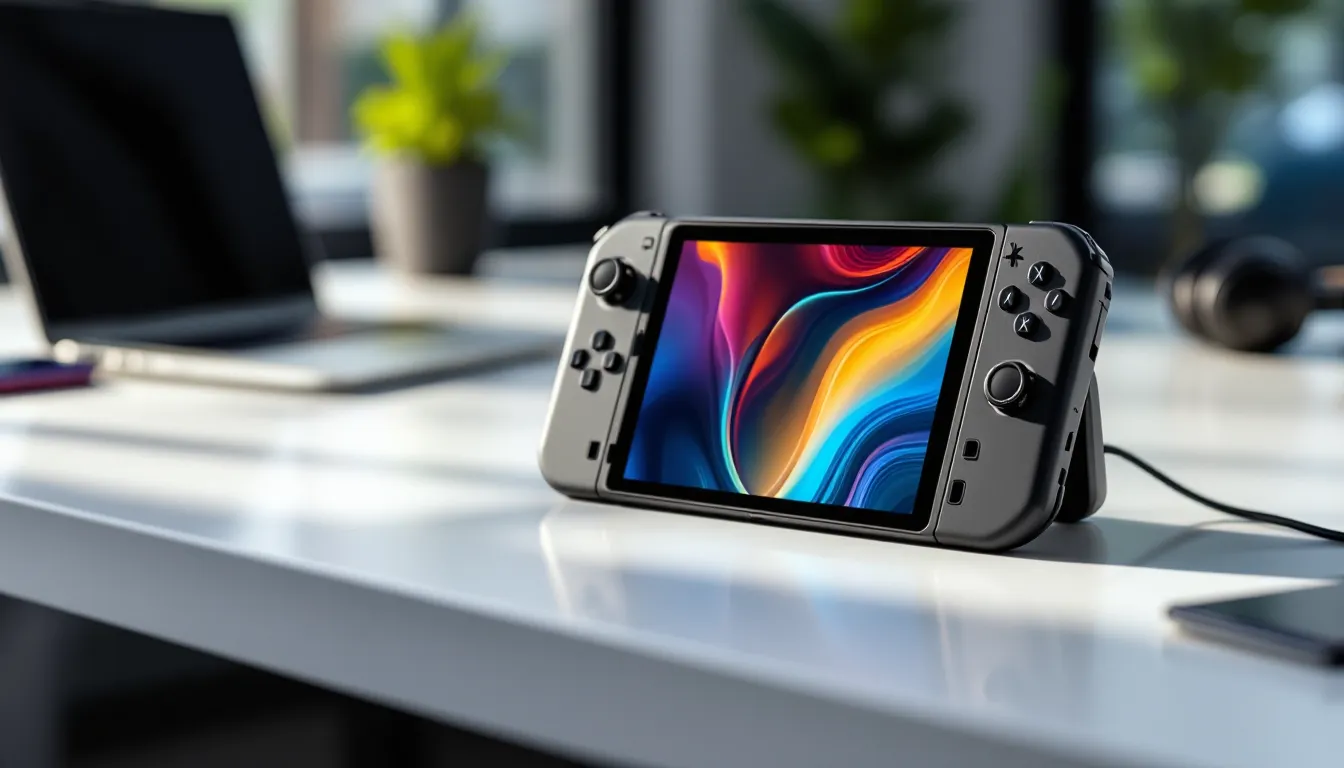

Lenovo dropped into the handheld gaming market with the Legion Go in late 2023, and it’s been carving out its space ever since. Fast forward to 2026, and the Legion gaming handheld has evolved into a legitimate contender in the portable PC gaming scene, sitting alongside heavyweights like the Steam Deck and ROG Ally. But what makes this thing worth your attention?
The Legion handheld isn’t trying to reinvent the wheel. Instead, it focuses on delivering raw performance in a surprisingly ergonomic package, with a few tricks up its sleeve that competitor devices can’t quite match. Whether you’re grinding through Elden Ring on your commute or running indie darlings in bed, this device promises desktop-class gaming without the desktop.
This guide breaks down everything you need to know about the Legion gaming handheld in 2026, from specs and performance to how it stacks up against the competition. No fluff, just the details that matter when you’re deciding where to drop your cash.
Key Takeaways
- The Legion gaming handheld features an 8.8-inch 144Hz display and AMD Ryzen Z1 Extreme processor, delivering superior screen quality and performance compared to Steam Deck and ROG Ally.
- Detachable controllers with FPS Mode functionality offer unique gaming versatility, allowing the device to transform into a vertical mouse for competitive shooters.
- Windows 11 compatibility provides universal access to Steam, Epic Games Store, Game Pass, and other launchers without Proton compatibility layers, though battery life suffers at 1.5-3 hours depending on TDP settings.
- At 854 grams, the Legion gaming handheld is noticeably heavier than competitors, making it better suited for stationary or lap-based gaming rather than extended handheld sessions.
- The Legion Go excels with AAA titles at medium-to-high settings (30-45 FPS) and truly shines with indie games running at 60+ FPS, making it ideal for diverse gaming libraries spanning multiple genres.
- TDP management between 8-30W and strategic use of resolution scaling (FSR 2) are essential for optimizing both performance and battery life on the Legion handheld.
What Is the Legion Gaming Handheld?
The Legion gaming handheld, officially the Legion Go, is Lenovo’s Windows-based portable gaming device. Think of it as a full-fledged gaming PC shrunk down to handheld size, running Windows 11 out of the box.
Unlike consoles or closed ecosystems, this thing gives you access to your entire PC game library: Steam, Epic Games Store, Xbox Game Pass, GOG, you name it. It’s built on AMD’s Ryzen Z1 architecture (with the higher-end Z1 Extreme variant being the standard configuration), paired with RDNA 3 graphics.
The standout feature? Detachable controllers. Lenovo borrowed a page from Nintendo’s playbook here, the Legion Go’s controllers can pop off, and one of them converts into a vertical mouse for FPS games. It’s gimmicky on paper but surprisingly functional in practice.
The device launched at $699 USD for the base configuration, though pricing has fluctuated with sales and bundles throughout 2025 and into 2026. It’s positioned as a premium option in the handheld space, and the specs back that up.
Key Features and Specifications
Display Quality and Performance
The Legion Go sports an 8.8-inch IPS touchscreen with a 2560×1600 resolution, that’s a 16:10 aspect ratio with 144Hz refresh rate. Yeah, 144Hz on a handheld. This is higher than both the Steam Deck (90Hz) and the original ROG Ally (120Hz).
The display hits around 500 nits peak brightness, which is solid for indoor gaming but can struggle in direct sunlight. Color accuracy is decent enough for gaming purposes, though it’s not going to wow anyone coming from an OLED panel.
That 144Hz panel isn’t just for show. In lighter titles or competitive games where you can hit higher framerates, the smoothness is noticeable. But let’s be real, most AAA games will hover between 30-60 FPS on this hardware, so the high refresh rate shines brightest with older or less demanding titles.
Processor and Graphics Capabilities
Under the hood sits the AMD Ryzen Z1 Extreme, an 8-core, 16-thread chip built on the Zen 4 architecture with a base clock of 3.3GHz boosting up to 5.1GHz. The integrated GPU is based on RDNA 3 with 12 compute units.
In benchmarks, the Z1 Extreme trades blows with the ROG Ally’s chip (they’re essentially the same silicon) and demolishes the Steam Deck’s older Zen 2 APU. Real-world performance puts most modern AAA games at medium-to-high settings between 30-45 FPS at native resolution.
TDP is configurable between 8W and 30W through the Legion Space software. Cranking it to 30W gives you maximum performance but tanks battery life. Most users find the sweet spot around 15-20W depending on the game.
The 16GB of LPDDR5X RAM (6400MHz) is soldered, so what you buy is what you get. Storage comes via a 512GB or 1TB M.2 2242 NVMe SSD, and it’s user-replaceable, a huge plus for anyone wanting to upgrade down the line.
Battery Life and Charging Options
The 49.2Wh battery is larger than the Steam Deck’s but smaller than what you’d want for all-day gaming. Expect 1.5 to 3 hours depending on what you’re playing and your TDP settings.
Light indie games or visual novels at lower TDP? You might stretch past 3 hours. Cyberpunk 2077 at full blast? You’re looking at 90 minutes, maybe less. Battery life is the Achilles’ heel of all Windows handhelds, and the Legion Go is no exception.
Charging happens via USB-C Power Delivery, supporting up to 65W fast charging. A full charge takes about 90 minutes with the included 65W brick. You can also charge while playing, though the device will get warm under load.
Design and Build Quality
Ergonomics and Comfort for Extended Gaming Sessions
At 854 grams (about 1.88 lbs), the Legion Go is noticeably heavier than the Steam Deck (669g) and the ROG Ally (608g). You’ll feel that extra weight during long sessions, especially if you’re holding it up rather than resting it on your lap or chest.
The wider grip design helps distribute the weight better than you’d expect. The handles curve outward, giving your palms more surface area to rest against. It’s not as ergonomic as the Steam Deck’s sculpted grips, but it’s more comfortable than the ROG Ally’s flatter design.
The detachable controllers are both a strength and weakness. They add versatility but create a slight wobble when attached, nothing gamebreaking, but noticeable if you’re coming from a more rigid device. Some users report the connection mechanisms loosening slightly over time, though Lenovo’s warranty has covered most cases reported in 2025.
Button Layout and Control Precision
The button layout follows a familiar pattern: ABXY on the right, D-pad on the left, dual analog sticks, and shoulder buttons with triggers. The sticks are Hall effect sensors, meaning they’re resistant to drift, a huge quality-of-life upgrade over traditional potentiometer sticks.
Trigger travel is satisfyingly tactile with adjustable actuation points through software. The shoulder buttons are clicky and responsive, though they sit a bit higher than some gamers prefer.
The standout is the FPS Mode where the right controller detaches and slots into an included grip, turning it into a vertical mouse. It uses optical tracking and works surprisingly well for games like Counter-Strike 2 or Valorant. Accuracy won’t match a desktop mouse, but it’s leagues better than stick aiming for precision shots.
The touchpad placement, two small pads flanking the screen, feels like an afterthought. They’re functional for navigating Windows but cramped for in-game use.
Gaming Performance Across Different Genres
AAA Titles and Demanding Games
The Legion Go handles modern AAA titles, but expectations need calibration. This isn’t a desktop RTX 4070, it’s a 15-30W handheld APU.
Cyberpunk 2077 (Patch 2.1 with Phantom Liberty) runs at medium settings with FSR 2 set to Quality mode, averaging 35-40 FPS at 1600p. Drop to 1280×800 with FSR on Performance, and you’ll push closer to 50 FPS. Ray tracing? Forget it unless you enjoy slideshow presentations.
Elden Ring hits a stable 40 FPS at high settings with occasional dips in dense areas like Leyndell. Locking to 30 FPS gives you headroom to max most settings.
Baldur’s Gate 3 hovers around 35-45 FPS on high settings during exploration, though Act 3’s performance issues affect all hardware, the Legion Go included. Turn-based combat runs smoothly even during particle-heavy spell effects.
Competitive shooters like Apex Legends or Valorant can hit 60+ FPS at lower settings, where that 144Hz display actually matters. Input latency is acceptable but not tournament-grade, this is still a handheld running Windows.
Indie and Casual Gaming Experience
This is where the Legion Go truly shines. Indie titles and older games run like butter, and the high-resolution display makes pixel art and stylized graphics pop.
Hades, Hollow Knight, Stardew Valley, Dead Cells, all run at locked 60+ FPS (or 144 FPS if you’re chasing smoothness) with TDP set to 10-12W. Battery life stretches past three hours on these titles, making the device actually portable.
Monster Hunter Rise maintains 60 FPS at high settings. No Man’s Sky runs at medium-high with 40-50 FPS. Strategy games like Civilization VI or XCOM 2 are perfect for the form factor, though turn times in late-game Civ will still test your patience.
Emulation performance is excellent. RetroArch handles everything up through PS2 and GameCube flawlessly. Switch emulation via Ryujinx or Yuzu (RIP) runs most titles at playable framerates, though demanding games like Tears of the Kingdom require tweaking.
Software and Operating System
Legion Space Interface and Customization
Legion Space is Lenovo’s custom launcher overlay designed to make Windows 11 more handheld-friendly. It boots on startup and provides a controller-optimized interface for launching games, adjusting performance settings, and monitoring system stats.
The UI is clean and responsive. You can switch between performance modes (Quiet, Balanced, Performance, Custom) on the fly, adjust TDP limits, set fan curves, and toggle features like resolution scaling or frame rate caps. It’s more polished than ASUS’s Armoury Crate on the ROG Ally and less intrusive than some third-party solutions.
That said, it’s still Windows underneath. You’ll inevitably encounter situations where you need to drop into desktop mode, Windows updates, game launcher authentication, troubleshooting, and navigating Windows with a controller remains awkward even though Lenovo’s efforts.
Customization depth is solid. You can remap buttons, adjust stick sensitivity curves, set per-game profiles, and even tweak RGB lighting zones (minimal as they are). Power users will appreciate the granular control, though casual players might find it overwhelming initially.
Game Library Compatibility and Integration
Running Windows 11 means universal compatibility with PC game storefronts. Steam, Epic Games Store, GOG Galaxy, Xbox App (Game Pass), Battle.net, EA App, they all work. This is the Legion Go’s biggest advantage over the Steam Deck’s Linux-based SteamOS.
No Proton compatibility layer. No checking ProtonDB before buying games. If it runs on Windows, it runs on the Legion Go. Anti-cheat issues that plague Linux handhelds don’t exist here.
That universality comes with Windows baggage. Game launchers compete for resources, background processes eat RAM, and Windows updates can interrupt gaming sessions. Battery life takes a hit compared to a more optimized OS like SteamOS.
Cloud gaming services (Xbox Cloud Gaming, GeForce Now, Amazon Luna) work seamlessly over Wi-Fi 6E. The display’s high resolution and refresh rate make cloud gaming noticeably smoother than on lower-spec devices, though you’re still at the mercy of your internet connection.
How the Legion Handheld Compares to Competitors
Legion vs. Steam Deck
The Steam Deck (refreshed with the OLED model in late 2023) remains the value king and ecosystem champion. Starting at $399 for the LCD model and $549 for the OLED, it undercuts the Legion Go significantly.
Performance? The Legion Go wins convincingly. The Z1 Extreme delivers roughly 50-80% better framerates than the Steam Deck’s Zen 2 APU in demanding titles. The Legion’s display resolution and refresh rate blow the Deck’s 800p/90Hz panel out of the water.
But the Steam Deck’s SteamOS provides a more console-like, plug-and-play experience. Sleep/resume is instant. Game compatibility is pre-verified. Battery life is generally better due to OS optimization. And Valve’s trackpads remain superior for mouse-heavy games compared to Lenovo’s tiny touchpads.
Ergonomics favor the Steam Deck, lighter, more sculpted grips, better for long sessions. But the Legion Go’s detachable controllers and FPS Mode offer flexibility the Deck can’t match.
Bottom line: Steam Deck for ease of use and value. Legion Go for raw performance and Windows flexibility.
Legion vs. ROG Ally
The ROG Ally is the Legion Go’s closest competitor, same Z1 Extreme chip, similar Windows 11 implementation, comparable pricing (ROG Ally launched at $699, now often found around $599-649).
Display differences matter here. The Legion Go’s 8.8-inch 1600p/144Hz panel dwarfs the ROG Ally’s 7-inch 1080p/120Hz screen. That extra screen real estate and resolution make text more readable and games more immersive, though some hardware analysis from Tom’s Hardware notes the larger display does impact battery efficiency.
The ROG Ally is significantly lighter (608g vs 854g) and more pocketable. It feels less fatiguing during handheld play. But the Legion’s ergonomics and detachable controllers offer unique advantages the Ally lacks.
Software is a toss-up. ASUS’s Armoury Crate has more features but feels bloated and buggy. Legion Space is simpler but more stable. Both require occasional desktop mode trips.
Performance is nearly identical in benchmarks, they’re using the same silicon, after all. Real-world testing shows the Legion Go sometimes edges ahead slightly due to better thermal management in its larger chassis.
Price and availability shift constantly. Watch for sales, both devices regularly drop $50-100 below MSRP, which can swing the value proposition.
Pros and Cons of the Legion Gaming Handheld
Pros:
- Excellent display: 8.8-inch 1600p at 144Hz is the best screen in the handheld PC space as of 2026
- Strong performance: Z1 Extreme handles modern AAA games at playable framerates with room for future titles
- Detachable controllers: Unique flexibility with FPS Mode offering genuine utility for shooters
- Universal game compatibility: Windows 11 means no compatibility worries or Proton layer headaches
- Upgradeable storage: User-replaceable M.2 SSD lets you expand without voiding warranty
- Hall effect sticks: Drift-resistant analog sticks should outlast traditional potentiometer designs
- Good thermal management: Larger chassis allows for better heat dissipation than smaller competitors
- Customization depth: Legion Space offers granular performance tuning for power users
Cons:
- Heavy and bulky: 854g makes it the heaviest mainstream handheld, fatiguing for extended handheld sessions
- Poor battery life: 1.5-3 hours typical runtime lags behind Steam Deck and struggles with demanding games
- Windows quirks: OS overhead, updates, and controller navigation issues detract from the console-like experience
- Price: $699 MSRP positions it as a premium option with competition from cheaper alternatives
- Tiny touchpads: Dual touchpads flanking the screen are cramped and awkward compared to Steam Deck’s trackpads
- Controller wobble: Detachable controllers create slight play in the connection when attached
- Fan noise: Under load at higher TDP settings, fan noise becomes noticeable and occasionally distracting
- Limited accessories: Third-party case and accessory ecosystem is smaller than Steam Deck’s mature market
Who Should Buy the Legion Gaming Handheld?
The Legion Go makes the most sense for a specific type of gamer.
Buy it if:
- You want maximum performance in a handheld form factor and don’t mind the weight/size tradeoffs
- Your game library spans multiple storefronts (Steam, Epic, Game Pass) and you don’t want compatibility headaches
- You play a mix of AAA and indie titles and value display quality for both
- The detachable controller feature genuinely appeals, especially if you play FPS games on the go
- You’re comfortable with Windows quirks and occasional troubleshooting
- You have realistic expectations about battery life and plan to game near outlets or with a power bank
Skip it if:
- You prioritize portability and light weight for commuting or travel, the 854g heft is noticeable
- Battery life is a dealbreaker and you need 3+ hours consistently
- You want a seamless, console-like experience without Windows overhead, Steam Deck OLED is your device
- Budget is tight, the $699 MSRP (even with sales) is hard to justify when Steam Deck LCD starts at $399
- You primarily play older games or indies that don’t need cutting-edge hardware
- Ergonomics matter more than specs, lighter competitors will serve you better
The Legion Go occupies a middle ground. It’s more powerful than the Steam Deck but less polished as an ecosystem. It matches the ROG Ally’s performance but adds weight and unique controller features. Many gamers reviewing portable hardware on sites like Pocket Tactics note it’s best suited for those who value screen quality and raw specs over portability and battery endurance.
Tips for Getting the Most Out of Your Legion Handheld
Optimizing Performance Settings
TDP management is crucial. Don’t just run everything at 30W. Match TDP to your game’s demands:
- AAA titles: 20-25W for best performance
- Mid-tier games (older AAA, demanding indies): 15-18W balances performance and battery
- Light indies, 2D games: 8-12W maximizes battery life
Create custom profiles in Legion Space for your most-played games. Save yourself the hassle of adjusting settings every time.
Resolution scaling can dramatically improve framerates without massive visual downgrades. Running at 1280×800 with FSR 2 Quality mode often looks nearly as good as native 1600p while delivering 30-40% better performance.
Frame rate caps save power. If a game runs at 50-70 FPS, cap it at 40 or 60 (depending on preference). Fluctuating framerates drain battery faster than stable locked rates.
Disable unnecessary background apps. Windows loves running stuff you don’t need. Disable startup programs, turn off cloud sync services while gaming, and consider using tools like Process Lasso to manage CPU priority for games.
Keep drivers updated. AMD releases regular GPU driver updates that often include handheld-specific optimizations. Check every month or two, performance gains of 5-10% aren’t uncommon.
Monitor thermals. The Legion Go can get toasty under sustained load. If you notice thermal throttling (performance dropping after 15-20 minutes), consider slightly reducing TDP or improving airflow. Don’t game with the device buried under blankets.
Essential Accessories and Add-Ons
A good carrying case is mandatory. The Legion Go doesn’t fit in most Steam Deck cases due to its larger size. Look for cases specifically designed for 8.8-inch handhelds with room for the charger and detached controllers.
Screen protector: That 8.8-inch display is gorgeous but vulnerable. Tempered glass protectors designed for the Legion Go run $10-15 and prevent scratches from accumulating.
High-capacity power bank: A 20,000mAh+ USB-C PD power bank that supports 45W+ output will double or triple your gaming time away from outlets. Anker and RAVPower make solid options.
MicroSD card: Even with 512GB or 1TB internal storage, games balloon in size. A fast UHS-II microSD card (256GB+) lets you install more games without juggling installs. Load times are noticeably slower than the internal NVMe, so keep your most-played games on internal storage.
Bluetooth earbuds or headphones: The Legion Go’s speakers are decent but nothing special. Wireless audio improves immersion significantly, especially for story-driven games or competitive shooters where audio cues matter.
Kickstand case or adjustable stand: The built-in kickstand is functional but limited in angles. Third-party solutions offer more flexibility for tabletop gaming with detached controllers.
Upgraded SSD: If you went with the 512GB model, swapping to a 1TB or 2TB M.2 2242 drive is straightforward. Guides are plentiful online. Just make sure you get a 2242 form factor, standard 2280 drives won’t fit.
Grip covers or silicone skins: These add texture and slight cushioning to the grips, improving comfort during long sessions and protecting the plastic from wear. They add minimal bulk but noticeable comfort.
Coverage from gaming hardware sites like WCCFTech throughout 2025 showed several firmware updates improving battery efficiency and thermal management, so keeping your device updated is technically an “accessory” in terms of maximizing your experience.
Conclusion
The Legion gaming handheld carved out its niche by prioritizing performance and display quality over portability. It’s not the lightest device, and battery life won’t win any awards, but that 144Hz 1600p screen and Z1 Extreme performance deliver an experience closer to desktop gaming than any handheld before it.
Detachable controllers and FPS Mode add genuine utility beyond gimmick territory, especially for shooter fans who’ve struggled with traditional handheld aiming. Windows compatibility means your entire PC library works without asterisks or compatibility layers.
But it’s not for everyone. The weight, bulk, and battery limitations mean you need to game near power sources or pack a hefty power bank. Windows brings universal compatibility at the cost of console-like polish. And at $699, it’s competing against cheaper alternatives that might better suit gamers with different priorities.
If raw specs, screen quality, and Windows flexibility top your list, the Legion Go delivers in 2026. Just know what you’re trading for that power.