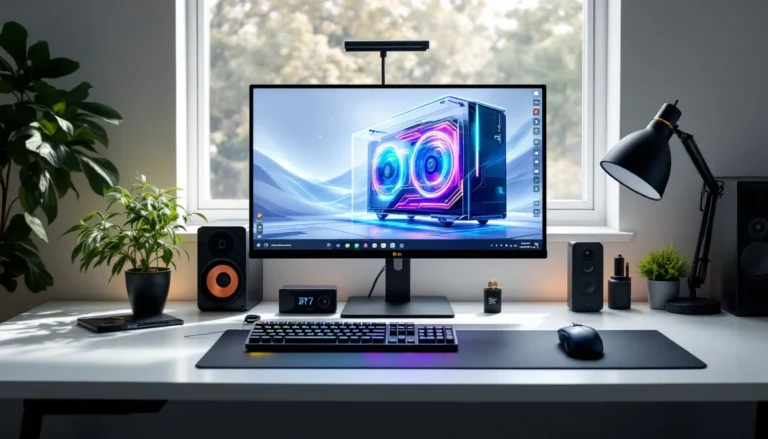
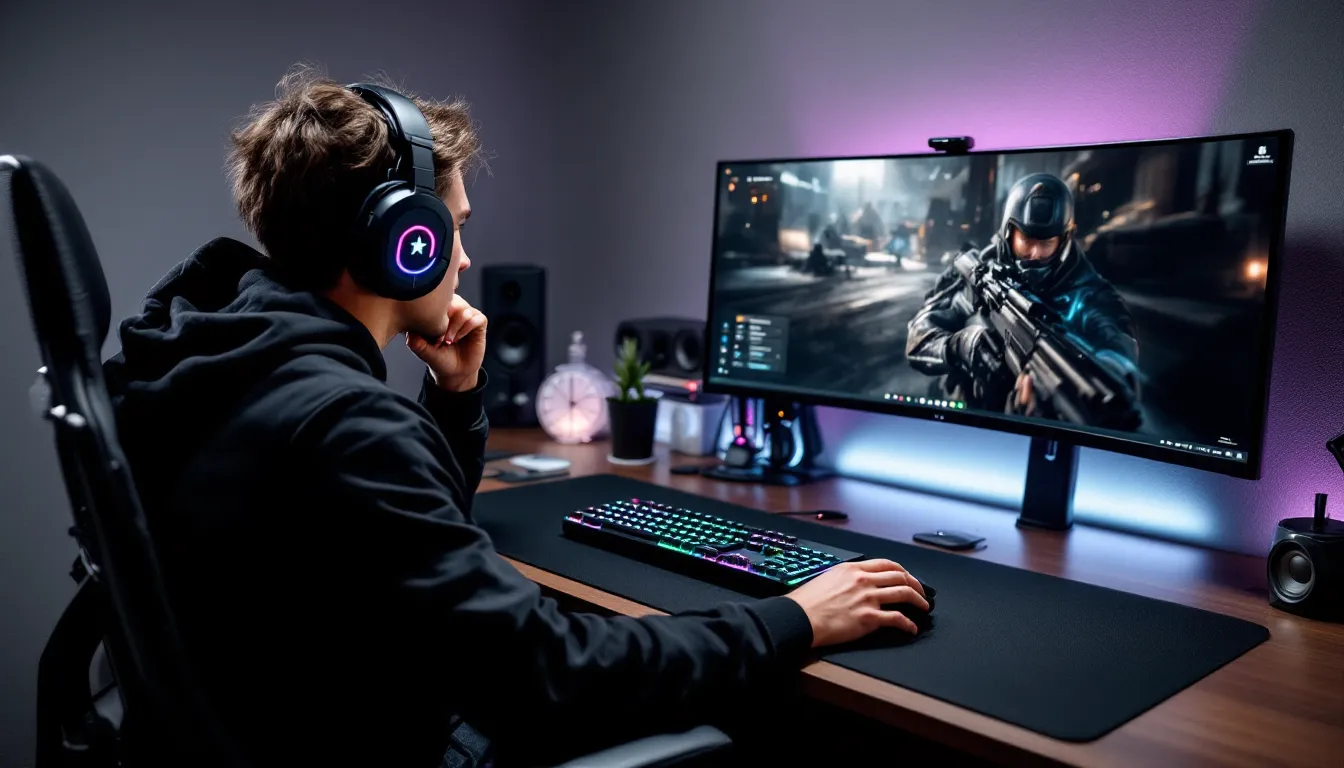

The full-size keyboard is dying, and gamers are the ones holding the knife. Walk into any competitive FPS lobby or browse any esports player’s setup in 2026, and you’ll spot a clear trend: compact mechanical keyboards have taken over. The 104-key behemoths that once dominated desk space are being replaced by sleek 60%, 65%, and 75% layouts that prioritize mouse room, portability, and ergonomics without sacrificing performance.
But mini keyboards aren’t just a visual aesthetic or desk space solution. They’re a legitimate competitive advantage when paired with the right features and customization. Whether you’re grinding ranked matches, speedrunning retro platformers, or traveling to LANs, understanding the mini keyboard ecosystem is essential for optimizing your gaming setup in 2026. This guide breaks down everything you need to know about mini keyboard gaming, from size categories and switch types to the best models hitting the market this year.
Key Takeaways
- Mini keyboard gaming delivers tangible competitive advantages through enhanced mouse space, improved ergonomics, and portability, making compact layouts the standard choice for FPS and esports players in 2026.
- 65% keyboards represent the ideal balance for most gamers, offering dedicated arrow keys and navigation while maintaining portability and desk space efficiency without the learning curve of 60% boards.
- Hot-swappable switches, 1000Hz polling rates, and QMK/VIA firmware enable full-size keyboard functionality through layering, allowing gamers to customize mini keyboards for any game or playstyle.
- Modern 2.4GHz wireless mini keyboards achieve 1-3ms latency matching wired performance, making wireless viability comparable to traditional wired setups for competitive gaming.
- The transition to mini keyboards requires 2-3 weeks of muscle memory adjustment, but the reduced shoulder strain, increased desk space, and improved arm positioning create measurable ergonomic benefits for extended gaming sessions.
- Budget-friendly mini gaming keyboards under $100 now include essential features like hot-swap support and quality stabilizers, eliminating the need to spend premium prices for viable competitive gear.
What Is a Mini Gaming Keyboard?
A mini gaming keyboard is any mechanical keyboard smaller than the traditional tenkeyless (TKL) layout. These compact boards typically range from 60% to 75% of a full-size keyboard’s footprint, achieved by removing the numpad, navigation cluster, and sometimes the function row. The result is a keyboard that maintains all essential gaming keys while freeing up significant desk real estate.
What separates a mini gaming keyboard from a standard compact board is the focus on performance features. We’re talking hot-swappable switches, N-key rollover (NKRO), 1000Hz polling rates, and programmable layers that allow gamers to access every function they need without reaching across a massive board. These aren’t office keyboards shrunk down, they’re purpose-built tools designed for competitive and casual gaming alike.
The definition has expanded considerably since 2024. Early mini keyboards forced gamers to choose between portability and functionality. Modern 2026 models leverage advanced firmware like QMK and VIA to pack full-size keyboard capabilities into 60-key layouts through layering and macros.
Understanding Keyboard Size Categories
Keyboard sizes follow percentage-based classifications that indicate how many keys remain compared to a 104-key full-size board. Understanding these categories is crucial for choosing the right mini keyboard for your gaming needs.
Full-size (100%) boards include the main alphanumeric cluster, function row, navigation keys, and numpad, 104 keys total. These are rare in competitive gaming circles now, mostly relegated to productivity users and MMO players who need dedicated macro keys.
Tenkeyless (TKL/80%) keyboards remove the numpad but keep the function row and arrow keys, sitting at 87 keys. While technically compact, TKL boards aren’t considered “mini” by 2026 standards.
75% layouts squeeze around 84 keys into a compressed form factor by eliminating gaps between key clusters. You get a full function row and arrow keys with minimal spacing, a favorite for gamers who can’t sacrifice F-keys for VOIP push-to-talk or shadowplay recording.
65% keyboards drop the function row but retain arrow keys and a partial navigation cluster (typically Delete, Page Up/Down). At roughly 68 keys, this is the most popular gaming size in 2026.
60% boards are the absolute minimalists, stripping everything except the alphanumerics and modifiers, 61 keys total. Arrow keys, function row, and navigation are all accessed through layered Fn combinations.
Why Gamers Are Switching to Mini Keyboards
The migration to mini keyboards isn’t just hype or aesthetic preference, it’s driven by tangible performance and ergonomic advantages that directly impact gameplay. Professional esports players led the charge, and their reasons have trickled down to the broader gaming community.
Enhanced Mouse Movement and Desk Space
The single biggest advantage is mouse clearance. Competitive FPS players, especially those using low sensitivity settings, need massive mouse pad space for precise flicks and tracking. A full-size keyboard forces an awkward, wide arm position that restricts natural mouse movement and creates shoulder tension during extended sessions.
Mini keyboards shift the entire setup inward. Players can position their mouse hand closer to their body’s centerline, reducing shoulder strain and enabling smoother, more controlled swipes. Pro players often use sensitivities requiring 30-40cm for a 360-degree turn, desk space is actual performance currency.
The difference is measurable. Switching from full-size to 65% frees up roughly 4-5 inches of horizontal desk space on the left side, which translates to better arm angles and reduced fatigue during 8-hour grind sessions. It’s not placebo: it’s geometry.
Portability for LAN Parties and Tournaments
Anyone who’s hauled gear to a LAN event knows the struggle: stuffing a full-size keyboard into a backpack alongside a headset, mouse, cables, and maybe a laptop. Mini keyboards solve this immediately. A 60% board weighs around 600-700 grams and fits into almost any bag compartment without dominating space.
Tournament organizers in 2026 increasingly prefer compact peripherals too. Desk space at competition booths is limited, and TOs appreciate players who show up with gear that doesn’t require tetris-level arrangement. Some high-profile tournaments now provide standardized desk dimensions that barely accommodate TKL boards comfortably.
Wireless mini keyboards have amplified this advantage. Models with Bluetooth 5.2 and 2.4GHz wireless dongles let gamers pack a single board that works seamlessly across PC, console, and even mobile setups without cable clutter. Pop it in your bag Friday, game at a friend’s house Saturday, back home Sunday, zero hassle.
Improved Ergonomics and Natural Positioning
Ergonomics matter more as gaming shifts from casual hobby to multi-hour daily commitment. Full-size keyboards force an unnatural shoulder width between hands. Your left hand rests on WASD while your right extends far to the side for the mouse, creating an awkward splayed posture that stresses shoulder joints and upper back muscles over time.
Mini keyboards allow a more neutral, shoulder-width stance. Your arms can rest at comfortable angles without lateral stretching, reducing repetitive strain and improving blood flow during marathon sessions. Competitive gamers and streamers logging 60+ hours weekly have reported noticeable reductions in shoulder and neck pain after switching to compact layouts.
The ergonomic benefit compounds when paired with proper desk height and chair positioning. With both hands closer together, it’s easier to maintain neutral wrist angles and keep elbows at 90-degree bends, the ideal ergonomic triangle that physical therapists recommend for desk workers and gamers alike.
Key Features to Look for in a Mini Gaming Keyboard
Not all mini keyboards are built equal. The compact form factor demands smart feature prioritization, what you gain in size efficiency can easily be lost if the board lacks the right gaming-focused specs. Here’s what actually matters in 2026.
Switch Types and Actuation
Switch choice defines how your keyboard feels and performs. Mechanical switches fall into three main categories: linear, tactile, and clicky. For gaming, most competitive players gravitate toward linears, Cherry MX Red, Gateron Yellow, or Kailh Speed Silver, because they offer smooth, uninterrupted keystrokes with no tactile bump to slow down rapid inputs.
Linear switches typically have actuation points between 1.5mm and 2.0mm, with total travel around 3.5-4.0mm. Faster actuation means quicker response times, which matters in games where milliseconds decide gunfights. Kailh Speed switches actuate at just 1.1mm, a favorite among rhythm gamers and FPS players who need instant input registration.
Tactile switches like Cherry MX Brown or Glorious Panda provide a noticeable bump at actuation, giving feedback without the loud click. They’re solid for hybrid gaming/typing setups but slightly slower for pure competitive use. Clicky switches (Cherry MX Blue, Kailh Box White) are generally avoided in gaming due to noise and the extra force required past the click point.
Actuation force matters too. Most gaming switches range from 45g to 62g. Lighter switches (40-45g) reduce finger fatigue but increase accidental presses. Heavier switches (55-62g) provide more control but tire fingers faster during extended sessions. The sweet spot for most gamers sits around 45-50g.
Hot-Swappable Switches
Hot-swappable sockets have become standard on quality mini gaming keyboards in 2026, and for good reason. They let users swap mechanical switches without soldering, turning switch customization from a hardcore mod project into a 5-minute task. Pop out the old switches, press in new ones, done.
This feature is essential for gamers still dialing in their preferences. Maybe you start with linear Gateron Yellows but find they’re too light for your typing style, swap in Gateron Blacks (60g) for the alpha keys while keeping Yellows on WASD for lighter gaming inputs. Or test speed switches for competitive FPS while using tactiles for MOBAs that require more deliberate inputs.
Hot-swap sockets typically use either Kailh or Gateron socket designs, both compatible with most MX-style switches. A few boards support optical switches, but those limit compatibility, stick with mechanical hot-swap for maximum flexibility. The feature adds minimal cost (usually $10-20 to the retail price) but delivers huge long-term value.
Build Quality and Stabilizers
Compact doesn’t mean flimsy. Premium mini gaming keyboards feature CNC-machined aluminum cases or high-density ABS plastic that eliminate flex and dampen typing noise. Aluminum adds weight (desirable for stability) and improves acoustics, keystrokes sound deeper and less hollow compared to thin plastic cases.
Stabilizers are criminally overlooked but critical for gaming keyboards. These mechanisms keep larger keys like Spacebar, Shift, and Enter from wobbling or sticking. Cheap stabilizers rattle, bind, or create uneven keypresses that throw off timing in fast-paced games. Quality boards use screw-in stabilizers with proper lubrication, they’re quieter, smoother, and far more reliable than cheaper clip-in designs.
Many enthusiasts recommend testing stabilizer quality before buying. Press the spacebar on one edge, if it actuates smoothly without binding or requiring extra force, the stabs are decent. If it feels mushy or uneven, that’s a red flag. Several 2026 models ship with pre-lubed, tuned stabilizers that rival custom builds, a massive upgrade from the rattly stock stabs common in 2023-2024 boards.
RGB Lighting and Customization
RGB isn’t just about aesthetics, though per-key RGB does look incredible. Functional RGB lighting serves as visual feedback for layer switching, low battery warnings, and key reminders in complex macros. Competitive players often set WASD and ability keys to distinct colors for instant visual confirmation during intense moments.
Modern mini keyboards support RGB through software like VIA, QMK, or proprietary apps, allowing per-key color assignment, reactive lighting effects (keys light up when pressed), and game-specific profiles. Some boards sync RGB with in-game events through integrations, flashing red when health drops or pulsing when abilities come off cooldown.
Customization extends beyond lighting. Look for boards supporting macro programming, key remapping, and multiple profile storage. The ability to save 3-5 onboard profiles means you can switch between game-specific layouts without opening software, crucial for tournament play where you might not have time to configure settings between matches.
60% vs 65% vs 75%: Choosing the Right Size for Your Gaming Style
Size isn’t just about desk space, it’s about matching your keyboard to your game library, keybind habits, and muscle memory. Each compact layout offers distinct tradeoffs that favor different gaming styles.
60% Keyboards: Maximum Minimalism
60% boards are the most aggressive size reduction, keeping only alphanumeric keys and modifiers. Everything else, arrows, F-row, navigation, lives on layers accessed via Fn combinations. For pure competitive FPS players, this layout is near-perfect. Games like Valorant, CS2, and Apex Legends rarely need keys beyond WASD, numbers, and a few ability keys.
The learning curve is real though. Accessing arrow keys requires holding Fn + IJKL (or similar mapping), which feels awkward initially. Some games hard-code certain functions to arrow keys or F-keys, forcing you to remap or use layers. MMO and strategy gamers often struggle with 60% layouts due to the sheer number of keybinds required.
Advantages? Maximum mouse space and the most portable form factor available. Popular 60% gaming boards include the Ducky One 3 Mini, Anne Pro 3, and Keychron Q3 Pro. These typically weigh under 700g and fit in laptop sleeves. For gamers attending frequent LANs or with extremely limited desk space, 60% is the move.
The 2026 meta for 60% boards has shifted toward wireless models with 1000Hz polling in 2.4GHz mode. Latency concerns that plagued wireless boards in 2022-2023 are essentially solved, top wireless 60% keyboards now match wired performance for all but the most latency-sensitive pro players.
65% Keyboards: The Sweet Spot for Most Gamers
65% layouts add dedicated arrow keys and a partial navigation column (usually Delete, Page Up/Down, and sometimes Home/End) to the 60% base. This addition, just 7-8 extra keys, transforms usability for most gamers without meaningfully increasing size. Many gamers and professionals who regularly check monitor response times for competitive advantages find this layout ideal for multi-purpose setups.
The arrow keys alone make 65% the default recommendation for most gaming scenarios. Plenty of games use arrows for menus, vehicle controls, or secondary functions. Even if you don’t use them in-game, having arrows accessible for desktop navigation and media control without layer switching is huge for quality of life.
65% boards strike the best balance between minimalism and functionality. They’re compact enough to maximize mouse space but practical enough for diverse game genres, FPS, MOBA, MMO (with clever layering), platformers, and fighting games all work comfortably. Popular models include the Mode Sonnet, Zoom65, Keychron V3, and GMMK 2 65%.
This size has become the most popular in 2026 for good reason. It’s the smallest layout that doesn’t force meaningful compromises for 90% of gamers. Unless you have a specific reason to go smaller or need a function row, 65% should be your default consideration.
75% Keyboards: Compact with Function Row
75% keyboards keep the function row while condensing everything into a tighter footprint by eliminating gaps between key clusters. At 84 keys, they offer nearly TKL functionality in a package barely larger than a 65%. The function row is non-negotiable for some gamers, shadowplay recording (Alt+F9), Discord push-to-talk (often bound to F-keys), and certain game-specific binds are easier with dedicated F-keys.
This layout shines for hybrid gaming/productivity users. Streamers who constantly switch between games, OBS, Discord, and browsers benefit from quick F-key access. Simulation and strategy gamers who use F-keys for camera controls, build queues, or unit groups also prefer 75% over smaller sizes.
The downside is minimal, 75% boards are about an inch wider than 65% models, still dramatically smaller than TKL. Mouse space remains excellent. The compressed layout takes slight adjustment: the Delete key typically sits directly above Backspace with minimal gap, and the arrow keys cluster tightly. After a week, muscle memory adapts.
Top 75% gaming keyboards in 2026 include the Keychron Q1 Pro, GMMK Pro, Vortex Race 3, and Akko MOD007B. These models offer enthusiast-grade build quality with hot-swap sockets, RGB, and multiple connectivity options. For gamers who refuse to sacrifice any functionality, 75% delivers without the bulk.
Programming and Customization: Making the Most of Limited Keys
Mini keyboards unlock their full potential through programming and layers. Without smart customization, you’re just using a keyboard with missing keys. With proper setup, a 60% board can access more functions than a full-size, faster.
Layer Programming and Fn Key Functions
Layers function like Shift for your entire keyboard. Hold a designated layer key (usually Fn, but customizable), and every key can trigger a secondary function. On a 60% board, holding Fn might transform IJKL into arrow keys, number row into F-keys, and semicolon into Delete. Release Fn, and everything returns to normal.
Advanced users stack multiple layers. Layer 0 is your default gaming layout. Layer 1 (Fn + key) handles navigation and F-keys. Layer 2 (Fn2 + key) could contain macros, media controls, or RGB adjustments. Some firmware supports up to 16 layers, though most gamers need only 2-3.
The key is making layers intuitive. Map layer functions to positions that mirror their original locations when possible, Fn + IJKL for arrows mimics their spatial relationship to home row. Fn + 1-9 for F1-F9 maintains the number row logic. Consistency reduces cognitive load during gaming.
Tap-hold functions add another dimension. Configure a key to output one function on tap, another on hold. Capslock becomes Escape when tapped, Control when held. Spacebar taps spacebar, but holding it activates a layer for arrow keys. This tech lets mini keyboards cram functionality into every key without sacrificing primary inputs.
Software and Firmware Options
The firmware determines how much control you have over your mini keyboard. In 2026, three ecosystems dominate: QMK/VIA, proprietary software, and onboard programming.
QMK (Quantum Mechanical Keyboard) is open-source firmware that gives users complete control over every aspect of their keyboard. You can remap any key, create complex macros, adjust debounce timing, and even program per-key actuation points on compatible switches. VIA is a GUI interface for QMK that makes programming accessible without coding knowledge, drag keys, assign functions, adjust layers in real-time.
Boards running QMK/VIA include most Keychron models, GMMK keyboards, and custom builds using PCBs from vendors like KBDfans. The learning curve is moderate, but the payoff is unlimited customization. Want your keyboard to type a full sentence when you press one key? QMK handles it. Need a key that outputs different functions based on how many times you tap it? That’s easy.
Proprietary software from brands like Razer Synapse, Logitech G Hub, or Corsair iCUE offers simpler interfaces with less flexibility. These work well for gamers who want quick macro recording, RGB syncing across peripherals, and game-specific profiles without diving into firmware. The tradeoff is less granular control and dependence on installed software, your programming doesn’t work on other PCs unless you install the software there too.
Onboard programming stores all settings directly in keyboard memory, no software required. Press a key combination to enter programming mode, assign functions, and save. Your configuration travels with the keyboard to any PC. This approach is ideal for tournament players who can’t install software on event PCs. Many wireless mini keyboards default to onboard programming for maximum portability.
Wired vs Wireless Mini Gaming Keyboards
The wired-versus-wireless debate has evolved dramatically. As recently as 2023, competitive gamers universally chose wired for reliability and latency. In 2026, wireless has closed the gap enough that even pro players are making the switch, with caveats.
Latency Considerations for Competitive Gaming
Latency is the delay between pressing a key and the input registering in-game. Wired keyboards typically deliver 1-2ms latency via USB, functionally imperceptible. Early wireless boards suffered 15-30ms delays in Bluetooth mode, creating noticeable input lag that ruined competitive viability.
Modern 2.4GHz wireless using proprietary dongles has changed everything. Top wireless mini keyboards in 2026, models like the Keychron K3 Pro, Logitech G915 TKL, and Razer BlackWidow V4 75%, achieve 1-3ms latency in wireless mode, matching wired performance. The secret is 1000Hz polling rates over 2.4GHz connections, identical to wired implementations.
Bluetooth still lags behind at 7-15ms, unsuitable for competitive play but fine for casual gaming. Most wireless gaming keyboards offer dual-mode connectivity: 2.4GHz for gaming, Bluetooth for mobile devices or secondary PCs. When shopping, confirm the board supports 1000Hz polling in wireless mode, some budget models cap at 125Hz or 250Hz, introducing 4-8ms of extra latency that’s noticeable in fast-paced shooters.
Pro players remain split. Top-tier esports competitors in games like Valorant and CS2 still lean wired for the absolute certainty of zero wireless interference, even though measurable differences are negligible. Meanwhile, pro League of Legends and Overwatch 2 players have widely adopted wireless, valuing cable-free desk setups. Gamers who study professional player configurations for sensitivity and gear optimization will notice this trend accelerating through 2026.
Battery Life and Charging Solutions
Wireless mini keyboards sip power efficiently thanks to modern MCU designs and LED management. Average battery life with RGB enabled sits around 40-60 hours of continuous use. Disable RGB, and many boards stretch to 200+ hours, weeks of typical gaming between charges.
Charging methods vary. Most boards use USB-C charging with play-while-charging support, plug in the cable and use it wired while batteries replenish. Charge times range from 2-4 hours for full capacity. Some premium models support wireless charging via Qi pads, though this remains niche and adds cost.
Battery indicators are crucial. Quality wireless boards include low-battery warnings via RGB flashing, on-screen notifications (if software is installed), or dedicated LED indicators. Nothing kills a ranked match faster than your keyboard dying mid-fight because you ignored battery warnings.
Sleep modes extend battery life further. After 10-30 minutes of inactivity (customizable), the keyboard enters low-power sleep, waking instantly with any keypress. Aggressive sleep settings can cause the first keypress after waking to miss, frustrating if you return to your PC and immediately start typing. Most gamers set sleep timers to 15-20 minutes as a balance.
For tournament use, many pro players simply run wired mode with the cable plugged in, treating wireless as a convenience feature for practice and streaming rather than competitive play. It’s the best of both worlds, wireless freedom at home, wired reliability at events.
Best Mini Gaming Keyboards in 2026
The mini keyboard market exploded between 2024-2026, with dozens of strong options across all price tiers. Here’s what’s actually worth buying based on build quality, features, and gaming performance.
Budget-Friendly Options Under $100
Budget mini keyboards have improved dramatically. You no longer sacrifice essential features to hit sub-$100 prices, hot-swap, decent stabilizers, and 1000Hz polling are standard even in this tier.
Keychron V3 (65%) – $70-85: The value king of 2026. Features hot-swappable Gateron switches, screw-in stabilizers, double-gasket mount for improved acoustics, and full QMK/VIA support. Ships with Keychron’s K Pro switches (linear or tactile), which punch above their price class. The aluminum frame option adds $20 but drastically improves feel. Available in both wired and wireless versions.
Royal Kludge RK61 (60%) – $55-70: Wireless triple-mode connectivity (USB-C, 2.4GHz, Bluetooth) at an insane price point. Hot-swap sockets, RGB, and 60-hour battery life with lighting. The case is plastic and feels budget, but functionally it delivers. Great starter board for gamers testing compact layouts without serious investment.
Redragon K617 Fizz (60%) – $50-65: Wired option with surprisingly solid stabilizers and Outemu switches (linear or brown). Not hot-swappable, but the price reflects that. Compact, no-frills, and reliable for gamers who don’t need customization. RGB is bright and customizable via onboard controls.
EPOMAKER TH66 (65%) – $80-95: Gasket-mounted with hot-swap, thocky acoustics that rival boards twice the price. Ships with Epomaker Flamingo or Budgerigar switches, decent linears and tactiles. The wireless version (TH66 Pro) adds Bluetooth and 2.4GHz for $100-110. Excellent for gamers who care about keyboard sound profile.
These budget boards won’t match premium models in materials or acoustics, but they’re 100% viable for competitive gaming. Switch response, polling rate, and NKRO match expensive options.
Mid-Range Performers ($100-$200)
The mid-range is where mini gaming keyboards hit their stride, premium features without custom keyboard prices. Publications covering gaming peripheral comparisons consistently rank several models in this bracket among the best overall values.
GMMK 2 65% – $120-150: Glorious nailed this one. Hot-swap, 1000Hz wireless (via 2.4GHz dongle), RGB, and excellent CORE software for programming. Ships barebones (bring your own switches/keycaps) or prebuilt with Glorious Fox or Panda switches. The gasket mount and sound-dampening foam produce satisfying acoustics. Battery lasts 80+ hours without RGB.
Keychron Q3 Pro (75%) – $180-195: Fully wireless 75% with aluminum CNC case, QMK/VIA, and screw-in stabs. The Q3 Pro is built like a tank, over 1kg with premium heft. Tri-mode connectivity (wired, Bluetooth, 2.4GHz), hot-swap, and sound-absorbing foam. For gamers who need F-keys and refuse to compromise on build quality.
Vortex Tab 75 – $140-160: Compact 75% with unique design and excellent stock configuration. Cherry MX or Kailh switches, PBT keycaps, and stable performance. Wired-only, which keeps the price reasonable. Great for gamers who don’t care about wireless and want something ready-to-game out of box.
Akko MOD007B-HE (75%) – $160-180: Hall Effect switches with adjustable actuation points (0.2mm-3.8mm). This is bleeding-edge tech, set actuation extremely low for ultra-fast inputs or higher for deliberate presses. Per-key actuation adjustment via software. Magnetic switches also enable rapid trigger (key resets immediately after release). Competitive FPS players love this for ADAD spamming.
Logitech G915 TKL – $180-200: Technically TKL, not mini, but worth mentioning for low-profile switch enthusiasts. GL switches with 1000Hz wireless, 30-hour battery with RGB, and Logitech’s reliable 2.4GHz Lightspeed. If standard-height mini keyboards feel too tall, this is your option.
Premium and Custom Builds ($200+)
Premium territory is where enthusiasts and sponsored pros play. These boards prioritize acoustics, materials, and customization at price points that scare away casuals.
Mode Sonnet (65%) – $320-400: Gasket-mounted aluminum with top-tier machining tolerances. Designed for enthusiasts who want flexibility, multiple plate materials (aluminum, FR4, polycarbonate), foam configurations, and hotswap PCBs. Ships as a kit: you add switches and keycaps. Sounds incredible with the right build. Not for beginners.
Wooting 60HE – $175-200: Analog Hall Effect switches with Tachyon mode (8000Hz polling). The fastest keyboard available in 2026, period. Per-key actuation tuning, rapid trigger, and analog input for driving games. Wired-only, but latency is sub-1ms. Competitive players in Valorant and CS2 increasingly adopt Wooting for the speed advantage.
Razer Huntsman Mini Analog – $180-220: Razer’s answer to Wooting. Analog optical switches, adjustable actuation, and 8000Hz polling. Synapse integration for RGB sync across Razer peripherals. Smaller, lighter, and more portable than Wooting with comparable performance. Optical switches are polarizing, some love them, others prefer mechanical feel.
Keycult No. 2/65 – $500-800 (aftermarket): The holy grail of custom keyboards. Keycult boards are sold via limited lottery raffles, making them hard to obtain. Immaculate build quality, premium materials, and collector status. For gamers with disposable income who view keyboards as art. Performance is excellent, but you’re paying for exclusivity and craftsmanship.
Satisfaction75 R2 – $350-450: Rotary encoder knob, OLED screen, gasket mount, and beautiful design. The knob controls volume, RGB, or custom functions. Sold as group-buy or through limited drops. Another enthusiast darling that’s migrated into competitive gaming spaces thanks to aesthetic appeal and solid performance.
Common Challenges and How to Overcome Them
Switching to a mini keyboard isn’t seamless. Gamers encounter real frustrations during the transition, but every challenge has a workaround once you understand the root cause.
Adapting to the Missing Numpad and Arrow Keys
The numpad loss stings for MMO and simulation gamers who rely on it for keybinds. Final Fantasy XIV, EVE Online, and flight sims traditionally map abilities, macros, and camera controls to numpad keys. Suddenly losing 17 keys forces rebinding.
Solution one: Remap numpad keybinds to layers. Use Fn + UIOJKLM:. as a numpad layer, or map number row + Fn to replicate numpad functions. QMK/VIA firmware makes this trivial. Most MMOs allow custom keybinds, so adaptation is more about retraining muscle memory than technical limitation.
Solution two: Standalone numpads. Separate USB numpads cost $15-40 and sit on your desk right side, freeing up left-side mouse space while preserving numpad access when needed. Some gamers position them vertically left of the keyboard for thumb access during games. Unconventional, but it works.
Arrow key absence on 60% boards is trickier. Games like Hollow Knight, Celeste, and fighting games often default to arrow keys. Rebinding to WASD works for some genres but breaks dual-player setups or conflicts with existing WASD binds.
Solution: Layer arrow keys onto Fn + IJKL or Capslock + WASD. After 3-5 hours of gameplay, the layer becomes second nature. Alternatively, use 65% boards with dedicated arrows. If arrow keys are non-negotiable, don’t force yourself onto 60%, the added frustration isn’t worth the marginal size reduction.
Dealing with Game-Specific Key Bindings
Some games hard-code keys or rely on F-row/navigation keys in ways that complicate mini keyboard use. Microsoft Flight Simulator uses nearly every key on a full-size board. Strategy games like Total War and Crusader Kings III lean heavily on F-keys for camera and UI shortcuts.
For F-key dependence: 75% keyboards solve this entirely. If you’re committed to 60-65%, map Fn + number row to F1-F12. Most games accept these mapped inputs without issue. A few older titles or poorly coded games might not recognize layered F-keys, in those cases, use software like AutoHotkey to intercept layer outputs and translate them into proper F-key signals.
For navigation key conflicts: Home/End/PgUp/PgDown appear in many strategy and RPG UIs. Map these to a secondary layer (Fn + arrow cluster works intuitively). Again, QMK/VIA makes this easy. If a game absolutely requires instant access to multiple navigation keys simultaneously, mini keyboards introduce friction that’s hard to eliminate.
Profile switching helps gamers with diverse libraries. Save distinct keyboard profiles per game, FPS profile emphasizes WASD and number keys, MMO profile activates layers for abilities, strategy profile prioritizes F-keys and navigation. Switching profiles takes seconds and eliminates constant remapping.
The truth is, some games don’t pair well with mini keyboards. Complex simulation titles, MMOs with 40+ keybinds, and productivity-heavy games like Cities: Skylines benefit from TKL or full-size layouts. There’s no shame in keeping a larger board for specific games while using mini keyboards for competitive FPS, MOBAs, and most single-player titles.
Conclusion
Mini keyboard gaming isn’t a passing trend or aesthetic gimmick, it’s a legitimate evolution in how competitive and enthusiast gamers approach their setups. The advantages are tangible: more mouse space translates to better aim, improved ergonomics reduces fatigue, and portability makes LAN events and travel infinitely easier. Modern mini keyboards deliver these benefits without sacrificing the performance features that matter, hot-swap switches, 1000Hz polling, and robust customization through QMK/VIA firmware.
Choosing the right size comes down to your game library and keybind habits. 60% maximizes minimalism for FPS mains, 65% offers the sweet spot for most gaming scenarios, and 75% preserves function row access for hybrid users. Whatever size you choose, invest in quality switches, proper stabilizers, and firmware that supports deep customization. The best mini gaming keyboards in 2026 aren’t just smaller, they’re smarter, leveraging layers and programming to pack full-size functionality into compact form factors.
The transition takes adjustment. You’ll mispress keys, fumble for missing arrows, and question your decision during the first week. Push through. After two weeks, muscle memory adapts, and the benefits become undeniable. Your setup feels faster, cleaner, and more intentional. Whether you’re grinding ranked, speedrunning, or simply reclaiming desk space, mini keyboards represent the direction gaming peripherals are heading, and that direction is compact, customizable, and competitive.