
Picking the wrong TV size for gaming is like showing up to a tournament with the wrong loadout, you’re handicapping yourself before the match even starts. Too small and you’ll squint at UI elements and miss distant enemies. Too big and you’ll strain your neck tracking movement, lose peripheral awareness, and tank your reaction times in competitive play.
The stakes are higher now than they’ve ever been. With PS5 and Xbox Series X/S pushing 4K at 120Hz, PC gamers chasing 144Hz displays, and competitive titles demanding split-second precision, your TV size directly impacts performance, immersion, and comfort. This isn’t about what fits your entertainment center, it’s about what maximizes your gaming experience based on platform, genre, room layout, and seating distance.
This guide cuts through the marketing noise to deliver actionable recommendations backed by viewing distance formulas, genre-specific needs, and real-world performance data. Whether you’re building a bedroom setup or a dedicated gaming den, here’s how to nail the size that’ll actually improve your game.
Key Takeaways
- The best TV size for gaming depends on your seating distance, gaming platform, and genre: competitive FPS players thrive on 43-50 inch displays at 5-7 feet, while open-world RPGs demand 55-65 inches at 7-9 feet for immersion.
- Input lag and response time matter more than sheer screen size; a 48-inch OLED with sub-10ms input lag and 120Hz outperforms a 65-inch LED with 20ms lag in competitive play.
- Follow the 1.5 to 2 times screen diagonal viewing distance rule (e.g., 55-inch TV at 5.5-8 feet) to avoid pixel visibility, eye strain, and neck movement that tanks reaction times.
- 4K resolution becomes essential at 50 inches and above to keep UI elements sharp and eliminate the screen-door effect, while 1080p suffices only on displays 43 inches or smaller.
- Measure your actual seating distance before buying and test TV placement with cardboard cutouts or painter’s tape, as showroom demos don’t reflect real-world lighting and session duration comfort.
- A mid-range size of 50-55 inches at 6-8 feet offers the best price-to-performance ratio and adapts across gaming genres, platforms, and lifestyle changes without sacrificing competitive edge or immersion.
Why TV Size Matters More Than Ever for Gaming
TV size isn’t just about bragging rights or filling wall space. It fundamentally changes how you interact with games, especially as modern titles push visual fidelity and UI complexity to new extremes.
Larger screens improve immersion in story-driven games and open-world titles where environmental detail matters. Games like Elden Ring or Starfield reward you for noticing distant landmarks, reading environmental storytelling, and soaking in atmosphere. A 55-inch or 65-inch display at proper viewing distance puts you in the world rather than watching through a window.
But size becomes a liability in competitive gaming when it exceeds your field of view. If you’re sitting six feet from a 77-inch TV playing Call of Duty or Valorant, you’ll physically turn your head to track HUD elements, mini-maps, and corner movement. That’s milliseconds you’re losing, enough to get dropped in high-level play. Competitive gamers often prefer 43-48 inch displays or sit farther back to keep the entire screen in their peripheral vision without eye strain.
Modern gaming also stacks more information on-screen than ever. MMOs, MOBAs, and tactical shooters overlay ability cooldowns, team comms, quest markers, and damage numbers simultaneously. Too small and you’ll miss crucial callouts. Too large at close range and your eyes dart everywhere trying to process it all. The right size lets you absorb information naturally without hunting for it.
Then there’s the hardware angle. As refresh rates climb from 60Hz to 120Hz and beyond, input lag and response time become critical. Larger panels historically struggled with these specs, but 2026’s OLED and Mini-LED tech has mostly closed that gap, though not universally. Choosing the right size means balancing screen real estate with the performance specs your platform and genre demand.
Understanding Viewing Distance and Screen Size
The Optimal Viewing Distance Formula
The Society of Motion Picture and Television Engineers (SMPTE) recommends a 30-degree field of view for general TV watching, but gamers benefit from pushing closer to 40 degrees for immersive single-player experiences. That translates to sitting about 1.5 to 2 times the screen diagonal for most gaming scenarios.
Here’s the practical breakdown:
- 43-inch TV: 4.5 to 6.5 feet viewing distance
- 50-inch TV: 5 to 7.5 feet viewing distance
- 55-inch TV: 5.5 to 8 feet viewing distance
- 65-inch TV: 6.5 to 9.5 feet viewing distance
- 77-inch TV: 7.5 to 11.5 feet viewing distance
If you’re sitting closer than the low end, you’ll notice individual pixels on 1080p content and might develop eye strain during long sessions. Sit farther than the high end and you lose the immersive advantage of a large screen, might as well have saved the cash and gone smaller.
For competitive gaming, many display technology guides recommend the upper end of these ranges or slightly beyond to keep the entire screen in your comfortable field of view without head movement. In esports practice facilities, pros often sit 7-9 feet from 48-55 inch displays to maintain sharp reaction times.
How Field of View Impacts Competitive Gaming
Field of view (FOV) in-game and physical screen FOV are two sides of the same coin. Crank your in-game FOV to 120 degrees on a 77-inch screen at six feet and you’ll feel disoriented, the screen’s physical size exaggerates the fisheye effect, making aiming feel inconsistent.
Competitive FPS players typically run 90-110 FOV and need the entire screen visible in their central and near-peripheral vision. That means smaller screens (43-48 inches) at moderate distances (5-6 feet) or larger screens (55-65 inches) pushed back to 8-10 feet. Anything forcing you to rotate your eyes to the screen edges adds input delay between seeing a threat and reacting to it.
For battle royales and tactical shooters where situational awareness trumps twitch aiming, slightly larger screens work, but you’ll still want to avoid sizes that require neck movement. MOBAs like League of Legends or Dota 2 demand constant mini-map awareness, so your eyes need to flick comfortably between screen quadrants. A 50-55 inch TV at 6-7 feet hits the sweet spot for most players.
Racing sims are the exception. Many sim racers run triple-monitor setups or ultrawide displays to replicate peripheral vision naturally, making a single large TV (65-77 inches) at closer range viable since you’re focused forward, not scanning laterally.
Best TV Sizes by Gaming Platform
Console Gaming: PS5, Xbox Series X/S, and Nintendo Switch
PS5 and Xbox Series X/S push 4K resolution at up to 120Hz in supported titles, making them ideal for larger displays. The 55-65 inch range is the sweet spot for most living room console setups, where you’re typically sitting 7-10 feet from the screen.
At this distance and size, 4K resolution pays off, you’ll notice the detail in Horizon Forbidden West, Forza Motorsport, or Final Fantasy XVI without pixel visibility. If you’re gaming in a bedroom or smaller space where you sit 5-6 feet away, drop to a 43-50 inch display to avoid overwhelming your FOV.
For competitive console gaming (Apex Legends, Call of Duty, Rainbow Six Siege), prioritize 120Hz support over sheer size. A 48-inch OLED with 120Hz and sub-10ms input lag outperforms a 65-inch LED with 60Hz and 20ms lag every time. Console players can’t adjust FOV as freely as PC gamers, so screen size becomes even more critical for maintaining awareness.
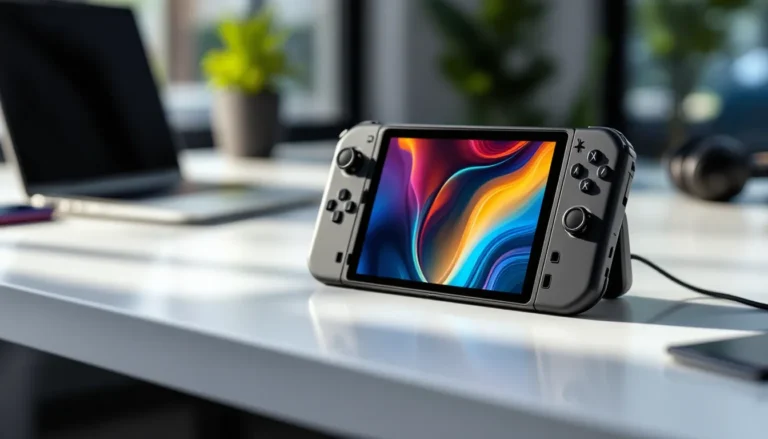
Nintendo Switch is a different beast. Whether docked or handheld, the Switch outputs a maximum 1080p at 60Hz. Sitting close to a massive 4K TV won’t improve image quality, you’re just upscaling 1080p content, which can look soft or blurry on screens above 55 inches. For Switch-focused setups, a 43-50 inch display at 5-7 feet keeps the image sharp and avoids highlighting the console’s hardware limitations.
PC Gaming: Desk Setups vs. Living Room Play
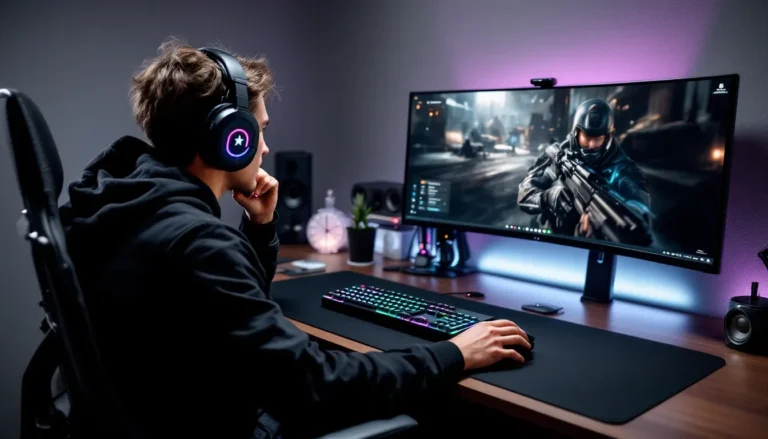
Desk gaming with a PC typically means sitting 2-4 feet from the screen, far closer than console gamers. At this distance, anything above 32 inches starts feeling too large unless you’re deliberately going for an immersive sim or single-player experience. Most PC gamers running competitive titles (CS2, Valorant, Overwatch 2) stick to 24-27 inch monitors, though 32-inch is gaining ground for those who want more screen real estate without sacrificing reaction time.
If you’re using a TV for desk PC gaming, a 43-inch 4K display at 3-4 feet is the absolute maximum before you’ll strain tracking UI elements. Some productivity-focused gamers run 43-inch 4K TVs as pseudo-monitors, but competitive performance suffers unless you dial back the distance.
Living room PC gaming, using a gaming PC connected to a TV from the couch, changes the equation entirely. Here, you follow the same rules as console gaming: 50-65 inches at 6-10 feet. The advantage of PC is flexibility. You can adjust in-game FOV, UI scaling, and resolution more granularly than consoles, making larger screens more forgiving. A 65-inch TV at 8 feet works beautifully for Cyberpunk 2077 or Red Dead Redemption 2 when you’re tweaking settings to maximize immersion.
Just make sure your GPU can push the resolution. A 65-inch 4K TV demands serious horsepower to maintain high framerates, RTX 4070 or RX 7800 XT minimum for modern AAA titles at high settings.
Recommended TV Sizes by Gaming Genre
First-Person Shooters and Competitive Esports
Competitive FPS players need every advantage. Pros and high-ranked players overwhelmingly favor 43-50 inch displays at 5-7 feet to keep the entire screen in their immediate field of view. Tracking enemy movement, monitoring mini-maps, and flicking to targets all happen faster when your eyes don’t travel far.
Input lag and response time matter more than size here. A 48-inch OLED with 0.2ms response time and 120Hz refresh crushes a 65-inch LED with 15ms input lag, even if the latter looks more impressive. If you’re grinding ranked in Warzone, Apex, or Valorant, stay in the 43-50 inch zone unless you can push your seating back to 9+ feet.
For casual FPS play, campaign modes, co-op, or laid-back matches, you can stretch to 55-65 inches without penalty. Story-driven shooters like Metro Exodus or Titanfall 2 reward immersion over twitch reflexes, and a larger screen enhances atmosphere.
Open-World RPGs and Adventure Games
Immersion is the name of the game. Open-world RPGs (The Witcher 3, Baldur’s Gate 3, Starfield) thrive on environmental storytelling, sprawling vistas, and hundreds of hours of slow exploration. 55-65 inches at 7-9 feet delivers the sweet spot where landscapes feel expansive and UI elements remain legible.
Many gaming hardware reviews emphasize HDR performance for this genre, deep blacks, vibrant colors, and high peak brightness make sunsets, dungeons, and magical effects pop. Larger OLED or Mini-LED TVs at these sizes provide the contrast and color volume that enhance these experiences.
Some players push to 77 inches for ultimate immersion, but only if you’re sitting 10+ feet back. Closer than that and you’ll lose the forest for the trees, literally. Your eyes will focus on individual textures rather than absorbing the scene as a cohesive whole.
Racing and Sports Simulations
Racing sims (Gran Turismo 7, F1 23, iRacing) benefit from larger screens that replicate real-world peripheral vision. A 65-77 inch TV at 6-8 feet mimics the windshield view in a car, helping you judge corner apexes and rival positions naturally. Many sim racers pair this with a racing wheel and cockpit setup, where the screen size reinforces the illusion of sitting in a real vehicle.
Sports games (FIFA, Madden, NBA 2K) also favor larger screens. Tracking player movement, reading defensive formations, and spotting open teammates all improve with more screen real estate. 55-65 inches at 7-9 feet works well, though competitive FIFA or Madden players might dial back to 50-55 inches to reduce eye travel during quick decision-making.
Room Size and Gaming Space Considerations
Small Rooms and Bedroom Gaming (32-43 Inches)
Bedroom setups or small apartments where you’re gaming from a desk or sitting 4-6 feet away call for 32-43 inch displays. Anything larger and you’ll feel cramped, overwhelmed, or unable to take in the full screen without moving your head.
A 43-inch 4K TV works well as a dual-purpose gaming and entertainment display in a bedroom. You get sharp image quality for single-player games and enough size to enjoy movies or streaming without feeling like you’re watching on a laptop. For competitive gaming in tight quarters, consider dropping to 32 inches to maintain full awareness.
Input lag and response time are easier to find at smaller sizes, manufacturers prioritize gaming specs on compact models aimed at desk and bedroom gamers. Look for sub-10ms input lag and at least 120Hz refresh if your console or PC supports it.
Medium Living Rooms (50-55 Inches)
50-55 inches at 6-8 feet is the Goldilocks zone for most gamers. It’s large enough to deliver immersion in story-driven games, small enough to maintain competitive edge in multiplayer, and versatile across genres and platforms.
This size range also offers the best price-to-performance ratio. In 2026, you’ll find flagship features, 4K, 120Hz, HDMI 2.1, VRR support, and excellent HDR, concentrated in the 55-inch segment. Manufacturers know this is the volume leader, so they pile on specs to win buyer attention.
Medium living rooms typically have flexible seating, meaning you or friends might shift between 6 and 9 feet depending on the session. A 55-inch TV accommodates that variability without compromising experience. It’s also easier to wall-mount and less visually dominating than 65+ inch panels if your space doubles as a general living area.
Large Living Spaces (65-77 Inches)
If you’re gaming in a large living room or dedicated theater space where seating sits 8-12 feet from the screen, go big. 65-77 inches ensures you’re not squinting at UI elements or losing immersion to a distant, undersized image.
Large screens shine for co-op gaming and local multiplayer. Split-screen on a 77-inch TV at 10 feet gives each player roughly the equivalent of a 38-inch display, far more comfortable than squinting at halved 43-inch panels. Party games, racing games, and couch co-op sessions all benefit from the extra real estate.
Just be mindful of your genre mix. If you dedicate significant time to competitive FPS or fast-paced action games, you might need to adjust seating distance or accept a slight performance trade-off. For casual, story-driven, or sim-focused gaming, though, the immersion boost from a large screen in a large space is unmatched.
Performance Specs to Prioritize at Each Size
Response Time and Input Lag Across Different Sizes
Input lag measures the delay between your controller input and the on-screen action. Competitive gaming demands sub-10ms input lag, while casual play remains comfortable up to 20ms. Response time (pixel transition speed) affects motion clarity, lower is better, especially in fast-paced games.
Smaller displays (32-43 inches) historically delivered better input lag and response times because they’re easier to engineer at speed. In 2026, OLED technology has leveled the playing field, 48-inch and 55-inch OLEDs routinely hit 0.2ms response times and sub-5ms input lag, matching or beating smaller gaming monitors.
Larger LED/LCD TVs (65-77 inches) still lag behind (pun intended) unless you’re buying high-end Mini-LED or QLED models with dedicated game modes. Budget 65-inch TVs can hit 30-40ms input lag, which feels sluggish in anything beyond turn-based games. If you’re going large, invest in a model with HDMI 2.1 and a verified gaming mode that drops input lag to 10ms or less.
Refresh Rate Requirements: 60Hz vs. 120Hz vs. 144Hz
60Hz is the baseline for modern gaming. It’s adequate for single-player campaigns, RPGs, and slower-paced games where quick reactions aren’t critical. Most budget and mid-range TVs offer 60Hz as standard across all sizes.
120Hz is the new standard for competitive gaming on PS5, Xbox Series X/S, and mid-to-high-end PC setups. Games like Call of Duty, Fortnite, and Destiny 2 support 120fps modes on current-gen consoles, and the smoothness difference is night-and-day. If you play multiplayer regularly, 120Hz is non-negotiable, regardless of TV size. Detailed gaming tech how-tos often walk through enabling 120Hz on consoles, as it sometimes requires manually toggling settings.
144Hz and above remains niche on TVs, though some gaming-focused models now offer it. PC gamers with high-end rigs benefit, but most console gamers won’t see the difference since consoles cap at 120fps. If you’re building a hybrid PC/console setup and your GPU can push 144fps+ at 4K, it’s worth considering, but prioritize input lag and response time over raw refresh rate at larger sizes.
Resolution Sweet Spots: When 4K vs. 1080p Matters
1080p is acceptable on screens 43 inches and smaller at typical viewing distances (5-7 feet). Beyond that, pixel density drops and the image starts looking soft or grainy, especially in UI-heavy games. The Switch’s 1080p output is a limiting factor here, on screens larger than 50 inches, Mario and Link start looking fuzzy.
4K becomes essential at 50 inches and above. The jump in pixel density keeps text sharp, textures detailed, and eliminates the “screen door effect” you might notice on large 1080p panels. PS5, Xbox Series X, and modern gaming PCs handle 4K natively in most titles, so you’re not leaving performance on the table.
Sitting distance matters too. At 9+ feet, the difference between 1080p and 4K shrinks, your eyes can’t resolve individual pixels anyway. But at 6-8 feet (the typical living room range for 55-65 inch TVs), 4K is worth the investment. It future-proofs your setup and ensures crisp image quality as games continue pushing visual fidelity.
Common TV Size Mistakes Gamers Make
Going too big for the space. The most frequent error. Players buy a 77-inch TV for a bedroom or small living room, sit six feet away, and wonder why competitive games feel exhausting. Bigger isn’t always better, it’s about matching size to distance and genre.
Ignoring input lag on large displays. Size impresses, but a 65-inch TV with 35ms input lag plays worse than a 43-inch monitor with 5ms lag. Always check input lag specs before buying, especially on budget models. Game mode helps, but it’s not magic, if the panel’s slow, it’s slow.
Prioritizing resolution over refresh rate. Some gamers chase 4K and ignore refresh rate, assuming sharper image equals better performance. In competitive gaming, 1080p at 120Hz beats 4K at 60Hz every time. Resolution is static eye candy: refresh rate is responsive feel. Know what your games and platform support and spec accordingly.
Forgetting about co-op and split-screen. Buying a 43-inch TV looks fine for solo play, but split-screen Rocket League or Halo turns each player’s viewport into a postage stamp. If you regularly game with friends locally, factor in split-screen usability, lean toward 50-55 inches minimum.
Undersizing for immersive single-player. The inverse mistake: competitive players buying 32-inch displays and then feeling underwhelmed by Red Dead Redemption 2 or Elden Ring. If you play a genre mix, aim for the middle ground (48-55 inches) or consider dual setups for different gaming modes.
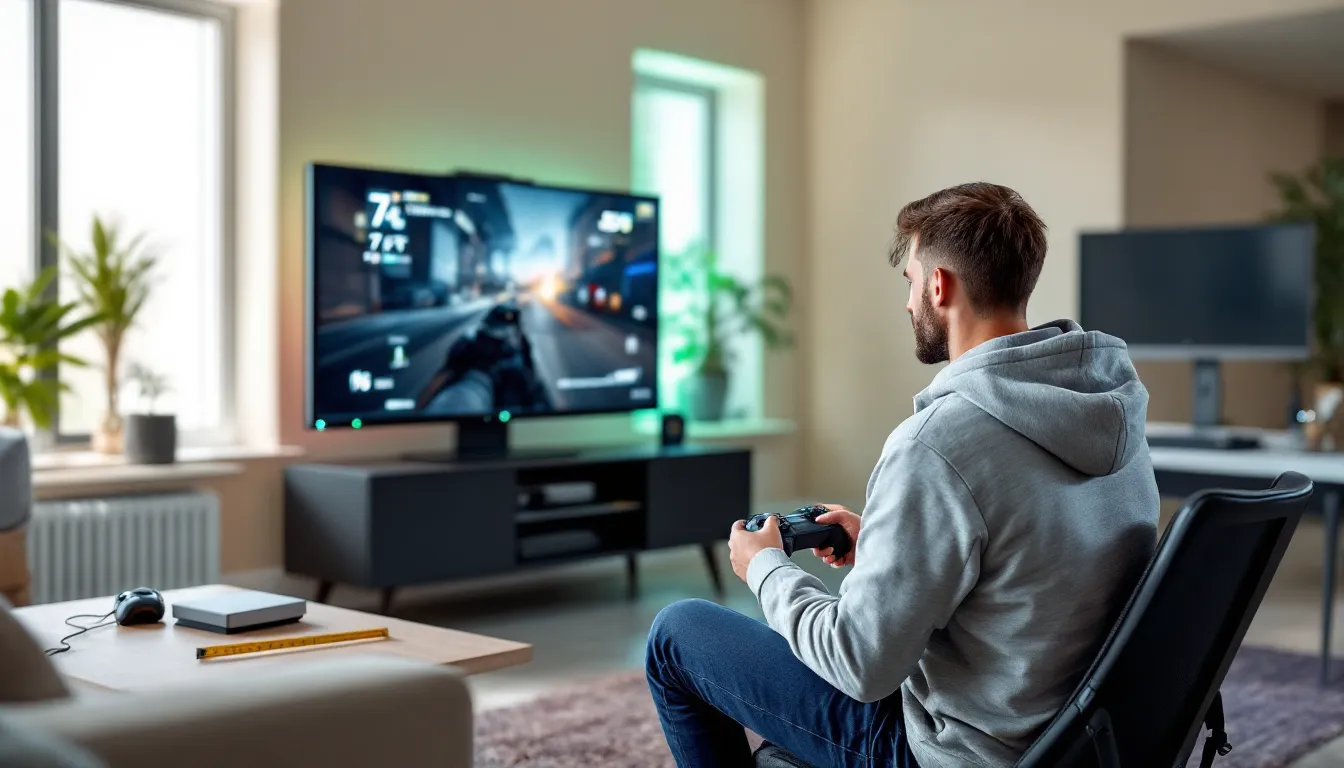
Not testing viewing distance before buying. Measure twice, buy once. Sit where you’ll actually game and visualize the screen size using painter’s tape on the wall or cardboard cutouts. What looks great in a showroom under bright lights can overwhelm at home in dim lighting during a long session.
Future-Proofing Your Gaming TV Size Choice
Game technology evolves, but your room dimensions don’t. Size is the one spec you can’t patch or upgrade, so think ahead when making your choice.
Consider platform upgrades. If you’re on PS5 now but eyeing a high-end gaming PC in two years, a 55-65 inch TV with HDMI 2.1, 120Hz, and VRR support handles both ecosystems. Undersizing for current needs might limit your flexibility when you upgrade hardware.
Genre shifts happen. Today you’re grinding Apex Legends ranked on a 43-inch screen. Next year you might fall into a Baldur’s Gate 3 binge where immersion matters more than twitch speed. A mid-range size (50-55 inches) adapts to shifting tastes without forcing a new purchase.
Display tech keeps improving. 2026’s 55-inch OLED offers better input lag, response time, and HDR than 2023’s equivalent. If you buy slightly smaller now with top-tier specs, you’re better positioned than going large with outdated panel tech. Performance ages better than size.
Plan for seating flexibility. Life changes. You might move, rearrange furniture, or shift from solo gaming to family co-op. A TV size that works at 7 feet still functions at 9 feet: one that overwhelms at 6 feet doesn’t get better when you’re stuck with it. Build in a margin of flexibility.
Don’t chase trends blindly. Ultrawide and curved gaming TVs grab headlines, but most content isn’t optimized for them yet. A standard 16:9 display in the right size outperforms gimmicks. Stick with proven formats unless you have specific sim or productivity needs that justify the niche form factor.
Conclusion
The best TV size for gaming isn’t written on a spec sheet or pulled from a marketing pitch, it’s the intersection of your room layout, seating distance, gaming platform, and genre preferences. A 43-inch display crushes it for competitive FPS grinders sitting at a desk. A 65-inch OLED transports open-world RPG fans into sprawling fantasy realms. A 55-inch all-rounder handles everything from ranked matches to split-screen sessions without compromise.
Measure your space, calculate your viewing distance using the formulas above, prioritize performance specs that match your platform, and don’t let showroom appeal override practical fit. Size matters, but only when it’s the right size for how, where, and what you actually play.
Get it right and your setup becomes an invisible advantage, letting you focus on the game instead of fighting your display. Get it wrong and you’ll spend every session distracted, straining, or wishing you’d measured twice and bought once.