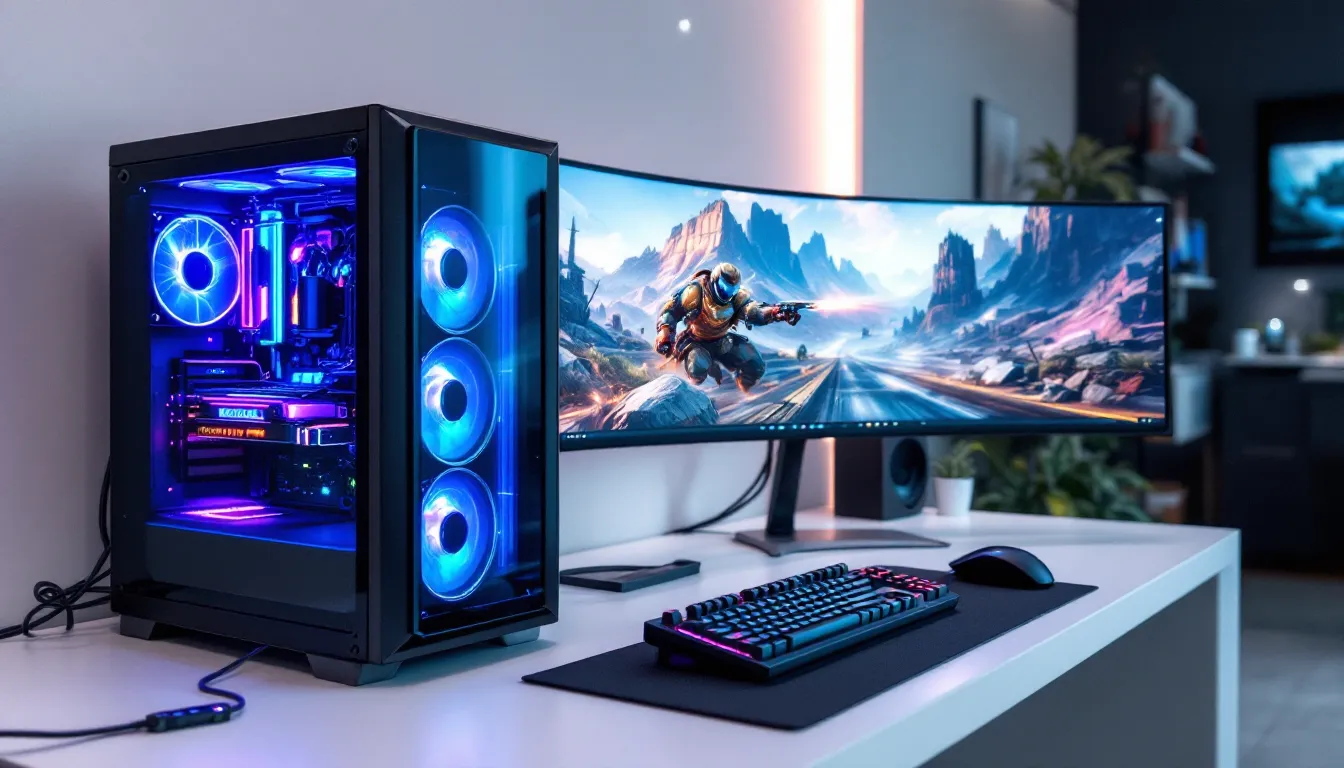

Shopping for a gaming PC in 2026 means navigating a market that’s both more competitive and more confusing than ever. NVIDIA’s RTX 50-series cards have shaken up pricing tiers, AMD’s latest Ryzen chips are pushing clock speeds to new heights, and pre-built manufacturers are finally offering decent value without gouging on RAM or storage. Whether you’re looking to crush frame rates in competitive shooters or max out ray tracing in the latest AAA titles, the right gaming PC is out there, but only if you know what to look for and where to buy.
This guide cuts through the marketing noise. It’ll walk through the real differences between pre-built and custom systems, break down what each budget tier actually delivers in 2026, and highlight which components matter most for your gaming style. Plus, it covers the best places to buy in Germany and Europe, so you’re not stuck overpaying or dealing with sketchy warranty situations.
Key Takeaways
- Choosing between a pre-built gaming PC or custom build depends on your priorities: pre-builts offer convenience and warranty coverage, while custom builds provide exact component control and better upgrade paths.
- In 2026, the mid-range gaming PC budget tier (€900–€1,500) delivers the best price-to-performance value, supporting 1440p gaming at high-ultra settings with 100+ FPS in most titles.
- GPU selection is critical to gaming performance; NVIDIA’s RTX 50-series leads in ray tracing and DLSS adoption, while AMD’s RX 7000-series offers better rasterization per euro and Intel’s Arc B-series disrupts the entry-level market.
- German retailers like Alternate.de, Caseking.de, and Mindfactory.de provide competitive pricing and strong warranty support, making domestic shopping more appealing than importing after Brexit.
- Match your gaming PC specs to your playstyle: esports players need high frame rates and fast CPUs (240+ FPS), while AAA gamers prioritize high-end GPUs for ray tracing and 4K visuals.
- Future-proof your investment by choosing AM5 motherboards (supported through 2027+), buying adequate PSU wattage for upgrades, and prioritizing 32GB DDR5 RAM and standard ATX cases that allow component expansion.
Why Building vs. Buying a Pre-Built Gaming PC Matters
The build-versus-buy debate isn’t just about saving money anymore. In 2026, the gap has narrowed significantly. Pre-built manufacturers have cleaned up their act, offering better component selection and fewer bottlenecks than the dark days of proprietary motherboards and single-channel RAM configs.
But the decision still matters. Your choice affects upgrade paths, warranty coverage, and whether you’re getting exactly the performance you need, or paying for features you’ll never use.
Pros and Cons of Pre-Built Gaming PCs
Pre-builts offer convenience and immediate gratification. You order, it arrives, you game. No thermal paste mishaps, no POST troubleshooting at 2 AM.
Key advantages:
- Warranty coverage on the entire system, not individual parts. If something fails, one call fixes it.
- Time savings, assembly and cable management are done. For anyone working full-time or balancing school, that’s 4-8 hours back.
- Bulk pricing on Windows licenses and sometimes GPUs, especially during shortages.
The downsides:
- Component opacity, some manufacturers skimp on PSU quality or use slower RAM kits. Always check the spec sheet for brand names, not just “16GB DDR5.”
- Upgrade limitations. Proprietary cases or motherboards (looking at you, certain Dell and HP models) can lock you into expensive replacements.
- Bloatware. Expect to spend 20 minutes uninstalling trial software and manufacturer “utilities” that bog down boot times.
When Custom Building Makes More Sense
Custom building wins when you have specific needs or want maximum control. Competitive players who need every frame in CS2 or Valorant can prioritize a high-core-count CPU and fast DDR5. Content creators can balance gaming with streaming or video editing by spec’ing accordingly.
Reasons to build:
- Exact component selection. You choose the GPU model, the RAM speed, the case airflow design.
- Better upgrade paths. Standard ATX motherboards and cases mean swapping a GPU or adding storage is straightforward.
- No markup on labor. You’re paying component prices, not assembly fees.
- Learning experience. Building once means you can troubleshoot and upgrade confidently for years.
The catch? You need patience. Part availability can delay builds by weeks, and if a component DOA’s, you’re the one RMA’ing it. For first-timers, budget an extra afternoon for assembly and OS installation.
Understanding Your Gaming PC Budget in 2026
Pricing in 2026 reflects both GPU sanity returning and inflation hitting other components. The sweet spot for most gamers has shifted up about €100-150 compared to 2024, but you’re getting noticeably more performance per euro, especially in the mid-range.
Here’s what each tier delivers right now.
Entry-Level Gaming PCs (€500-€900)
Entry-level in 2026 means 1080p gaming at high settings, 60+ FPS in most titles. This tier has benefited hugely from previous-gen cards dropping in price.
Expected specs:
- GPU: RTX 4060, RX 7600, or Intel Arc B580
- CPU: Ryzen 5 7600 or Intel Core i5-13400F
- RAM: 16GB DDR5-5200 or DDR4-3200
- Storage: 512GB NVMe SSD (budget tight) or 1TB
This range handles esports titles at 144 FPS easily. Competitive shooters like Valorant, CS2, and Fortnite run buttery smooth. You’ll dial settings down to medium-high in demanding AAA games like Cyberpunk 2077 or Starfield, but 60 FPS is achievable.
Watch out for: Insufficient PSU wattage (aim for 550W minimum) and single-stick RAM configs that halve bandwidth.
Mid-Range Gaming PCs (€900-€1,500)
Mid-range is the most popular bracket for good reason. It delivers 1440p gaming at high-ultra settings, 100+ FPS in most titles, and leaves headroom for VR or high-refresh 1080p esports.
Expected specs:
- GPU: RTX 4070, RTX 5060 Ti, or RX 7700 XT
- CPU: Ryzen 7 7700X or Intel Core i5-14600K
- RAM: 32GB DDR5-5600
- Storage: 1TB NVMe Gen4 SSD
- Cooling: Decent tower cooler or 240mm AIO
This tier crushes 1440p. Games like Baldur’s Gate 3, Elden Ring, and Call of Duty run at ultra settings without breaking 70°C. Streamers can broadcast at 1080p60 without frame drops, and the extra RAM handles Chrome tabs, Discord, and Spotify simultaneously.
Many hardware benchmarking sites place the RTX 4070 as the standout value here, especially for ray tracing performance. DLSS 3.5 extends its lifespan significantly.
High-End Gaming PCs (€1,500-€2,500+)
High-end means 4K gaming at 60+ FPS, 1440p ultra-wide at 120+ FPS, or maxed-out ray tracing. This is enthusiast territory, where diminishing returns kick in, but if you want no compromises, this is it.
Expected specs:
- GPU: RTX 5080, RTX 5090, or RX 7900 XTX
- CPU: Ryzen 9 7950X3D or Intel Core i9-14900K
- RAM: 32GB or 64GB DDR5-6000+
- Storage: 2TB NVMe Gen4/Gen5 SSD
- Cooling: 360mm AIO or custom loop
- PSU: 850W-1000W Gold/Platinum
At this level, you’re future-proofed for 4-5 years minimum. Games like Microsoft Flight Simulator and Starfield with full ray tracing and 4K textures become playable at high frame rates. Content creation workloads, 3D rendering, 4K video editing, also benefit massively.
Price-to-performance peaks in the mid-range, but if budget isn’t the constraint, high-end rigs deliver a noticeably smoother, more immersive experience.
Essential Components: What to Look for in a Gaming PC
Not all specs are created equal. A gaming PC lives or dies by its GPU, but bottlenecks elsewhere, slow RAM, thermal throttling, or a cheap PSU, can waste that potential.
GPU: The Heart of Gaming Performance
The GPU determines your frame rates, resolution ceiling, and graphical fidelity. In 2026, three major players dominate: NVIDIA’s RTX 50-series, AMD’s RX 7000-series, and Intel’s Arc B-series.
NVIDIA RTX 50-series leads in ray tracing and DLSS adoption. The RTX 5070 and 5080 are the go-to picks for 1440p and 4K respectively. DLSS 3.5 with frame generation is near-universal in new releases, giving NVIDIA a practical 20-30% FPS advantage in supported titles.
AMD RX 7000-series offers better rasterization performance per euro. The RX 7700 XT and 7900 XTX trade blows with NVIDIA in non-ray-traced games and often cost €50-100 less. FSR 3.1 has closed the upscaling gap, though adoption lags behind DLSS.
Intel Arc B-series is the budget disruptor. The B580 delivers RTX 4060-level performance at Arc A770 prices, making it a killer entry-level option. Driver maturity has improved drastically since the A-series launch, though occasional quirks remain in older DX11 titles.
Key considerations:
- VRAM: 8GB is the minimum for 1080p, 12GB for comfortable 1440p, 16GB+ for 4K or heavy modding.
- Ray tracing: If you care about RT, NVIDIA’s RT cores still lead. AMD has narrowed the gap but trails by 15-20% in RT-heavy titles.
- Power draw: The RTX 5090 pulls 450W under load. Make sure your PSU and cooling can handle it.
CPU: Balancing Gaming and Multitasking
CPU matters less than GPU for pure gaming, but it prevents bottlenecks at high refresh rates and handles background tasks. In 2026, AMD’s X3D chips and Intel’s 14th-gen Core i5/i7 dominate.
For gaming-first builds: Ryzen 7 7800X3D or Ryzen 9 7950X3D. The 3D V-Cache tech delivers 10-15% higher FPS in CPU-bound scenarios (esports, strategy games, MMOs). If you’re chasing 240 FPS in Valorant or CS2, X3D is the move.
For gaming + streaming/productivity: Intel Core i7-14700K or Ryzen 9 7900X. Higher core counts help with OBS encoding, video rendering, and heavily modded games. The i7-14700K’s hybrid architecture (P-cores + E-cores) handles multitasking exceptionally well.
Budget-conscious: Ryzen 5 7600 or Core i5-13400F. Both offer six performance cores, enough for 1080p and 1440p gaming without bottlenecking mid-range GPUs.
Avoid: Older quad-core CPUs (Ryzen 3000-series, 10th-gen Intel). Modern games increasingly leverage six+ cores, and stuttering in open-world titles is noticeable.
RAM, Storage, and Cooling Considerations
RAM: 16GB is the floor, 32GB is ideal. DDR5 has become affordable enough that DDR4 only makes sense in sub-€700 builds. Speed matters, DDR5-5600 is the sweet spot for Ryzen 7000, while Intel platforms benefit less from speeds above DDR5-5200.
Always use dual-channel configuration (2 sticks, not 1). Single-channel RAM cuts bandwidth in half, tanking FPS by 10-20% in memory-sensitive games.
Storage: 1TB NVMe SSD minimum. Game install sizes have ballooned, Call of Duty alone exceeds 200GB with all packs. Gen4 NVMe drives are cheap now: the performance gap over SATA SSDs is noticeable in DirectStorage-enabled titles and load times.
Skip HDDs for gaming. They’re fine for archival, but stuttering during asset streaming isn’t worth the savings.
Cooling: Stock coolers on Ryzen 7600 and Core i5 chips are adequate but loud. Budget €30-50 for a tower cooler (Thermalright, DeepCool) or 240mm AIO for quieter operation. High-end CPUs (7950X3D, i9-14900K) need 280mm/360mm AIOs or beefy air coolers to avoid thermal throttling.
Case airflow matters as much as the cooler itself. Mesh front panels outperform solid/tempered glass designs by 5-10°C.
Where to Buy Your Gaming PC in Germany and Europe
Knowing what to buy is half the battle. Knowing where to buy without getting ripped off or stuck with poor support is the other half. Germany and broader Europe have solid options, but quality varies wildly.
Top German Retailers and Online Shops
Alternate.de is a go-to for custom-built and pre-configured PCs. Their configurator lets you tweak specs without the markup of boutique builders. Shipping within Germany is fast (2-4 days), and their warranty support is responsive. Pricing is competitive, especially during seasonal sales.
Caseking.de caters to enthusiasts and modders. They stock high-end components and boutique cases you won’t find elsewhere. Pre-builts tend toward the premium side, but build quality and cable management are top-notch. Expect €100-200 more than equivalent Alternate builds, but with better aesthetics and cooling.
Mindfactory.de is the budget king for parts and DIY builds. Midnight shopping deals (literally, prices drop after midnight) can save 5-10% on GPUs and CPUs. Pre-builts are limited, but if you’re building custom, Mindfactory’s part prices are hard to beat.
MediaMarkt/Saturn offer pre-builts with immediate pickup. Convenient for last-minute buyers, but expect €50-150 premiums over online retailers. Warranty handling is straightforward since you can walk into a store, though tech support knowledge varies by location.
Recent coverage from gaming hardware publications highlights that German retailers now match or beat UK pricing post-Brexit, making domestic shopping more appealing than importing.
International Options Worth Considering
NZXT BLD and Corsair Vengeance ship to Germany and much of the EU. Both offer clean, well-balanced pre-builts with branded components (no mystery PSUs). Shipping adds €50-80, and warranty returns require international shipping, but component quality is reliable.
Amazon.de lists pre-builts from various sellers. Quality is hit-or-miss, stick to fulfilled-by-Amazon listings with detailed spec sheets. Return policy is lenient (30 days), which helps if you receive a DOA system.
Dubaro.de and Agando.de are smaller German system integrators. They offer customization without boutique pricing. Build times run 1-2 weeks, and customer service is generally solid, though not as polished as larger retailers.
Avoid: eBay pre-builts from unknown sellers, and ultra-budget Amazon listings with vague specs (“16GB RAM, gaming graphics”). Those often use outdated GPUs or inadequate PSUs that fail within months.
Performance Requirements for Different Gaming Styles
Gaming isn’t monolithic. A competitive Valorant player needs different specs than someone exploring Elden Ring or building cities in Cities: Skylines II. Matching hardware to playstyle avoids overspending or underperforming.
Competitive Esports Gaming Specs
Esports prioritizes frame rates and input latency over graphical fidelity. Competitive players in titles like CS2, Valorant, Apex Legends, and League of Legends aim for 240+ FPS on 1080p, even if it means low-medium settings.
Recommended specs:
- GPU: RTX 4060 Ti, RX 7600 XT, or Arc B580
- CPU: Ryzen 7 7800X3D or Core i5-14600K (high single-thread performance)
- RAM: 32GB DDR5-6000 (lower latency helps frame pacing)
- Monitor: 240Hz+ with 1ms response time
Esports titles are CPU-bound at high refresh rates. The Ryzen 7800X3D’s 3D V-Cache delivers measurably higher 1% and 0.1% lows, reducing micro-stutter during clutch moments. This isn’t placebo, frame time consistency matters when reaction windows are sub-200ms.
Many tech reviewers and buying guides emphasize that esports builds benefit more from fast RAM and CPUs than from overkill GPUs. An RTX 4060 Ti paired with a 7800X3D will outperform an RTX 4080 with a Ryzen 5 7600 in CS2 at 1080p.
Peripherals matter as much as specs: 1000Hz polling mice, mechanical keyboards with rapid trigger switches, and low-latency monitors (NVIDIA Reflex + G-Sync) complete the setup.
AAA Gaming and High-Fidelity Experiences
AAA single-player and open-world games prioritize visual quality, immersion, and resolution. Ray tracing, 1440p/4K, and ultra textures are the goals here.
Recommended specs:
- GPU: RTX 5070/5080 or RX 7900 XT/XTX
- CPU: Ryzen 7 7700X or Core i7-14700K
- RAM: 32GB DDR5-5600
- Storage: 2TB NVMe Gen4 (large install sizes)
Titles like Cyberpunk 2077: Phantom Liberty, Alan Wake II, and Starfield with full ray tracing and path tracing demand high-end GPUs. DLSS 3.5 or FSR 3.1 upscaling is essential to hit 60+ FPS at 4K without dropping settings.
VR gaming (Meta Quest 3 via Link, Valve Index) also fits this category. VR demands consistent 90+ FPS per eye, making GPU and CPU overhead critical. The RTX 5070 is the entry point for comfortable VR in demanding sims like Microsoft Flight Simulator or Half-Life: Alyx.
Don’t skimp on cooling in AAA-focused builds. Long gaming sessions in demanding titles push components hard, and thermal throttling kills immersion when your GPU starts coil whining and frame rates drop.
Future-Proofing Your Gaming PC Investment
Future-proofing gets a bad rap, no PC lasts forever, but smart choices extend relevance from 3 years to 5+. It’s about avoiding dead-end platforms and leaving room to upgrade without replacing everything.
Upgradability and Expansion Options
Motherboard socket longevity matters. AMD’s AM5 platform (Ryzen 7000/8000-series) is supported through 2027+, meaning future CPU upgrades won’t require a motherboard swap. Intel’s LGA1700 (12th-14th gen) is nearing end-of-life, though 14th-gen chips are powerful enough to last years.
Pick motherboards with:
- PCIe 5.0 support for future GPU generations (even if current cards don’t use it)
- Four RAM slots (easier to add 32GB later without replacing existing sticks)
- Multiple M.2 slots for storage expansion
- Quality VRMs if you might upgrade to higher-TDP CPUs later
PSU headroom prevents bottlenecks when upgrading GPUs. If you’re buying an RTX 4070 (200W TDP) with a 650W PSU, you’re fine now, but a future RTX 6080 might pull 350W. A 750W or 850W PSU costs €20-40 more but saves replacing it during a GPU upgrade.
Case airflow and size affect what you can fit later. Mid-tower ATX cases with 360mm radiator clearance and 3+ GPU slots give flexibility for larger coolers or GPUs. Compact ITX builds look great but limit upgrade paths.
RAM speed and capacity: 32GB is comfortable now, but 64GB isn’t overkill for heavily modded games or productivity workloads. DDR5 prices have dropped enough that starting with 32GB DDR5-6000 means you’re set for years.
Avoid:
- Proprietary motherboards (Dell, HP, some pre-builts). They lock you into expensive replacements.
- Minimal PSU wattage. A 500W PSU with an RTX 4060 works today, but there’s zero room to upgrade.
- Single-channel RAM in non-upgradable configs. If a pre-built has 1x16GB soldered, you can’t fix the bandwidth penalty.
Warranty, Support, and What to Avoid
Warranties and support separate good purchases from regrets. A €1,200 PC with a 1-year warranty and unresponsive support is worse than a €1,100 system backed by 3 years of solid coverage.
Standard warranty expectations in Germany and the EU: 2-year minimum under consumer protection laws. Pre-built manufacturers typically offer 2-3 years on the full system, while component warranties vary (GPUs often 3 years, PSUs 5-10 years).
Premium brands (ASUS ROG, MSI, Corsair) include advanced RMA processes, cross-shipping, on-site service, or replacements within 48 hours. Budget brands may require you to ship the entire PC back, leaving you without a system for 2-3 weeks.
Red flags to avoid:
- No-name PSUs (“600W gaming PSU” with no brand). These fail catastrophically, sometimes taking other components with them. Stick to Corsair, Seasonic, EVGA, or BeQuiet.
- Outdated stock GPUs at near-MSRP. Some retailers offload old inventory (RTX 3060, RX 6600) at inflated prices. Check current-gen equivalents first.
- Single-channel RAM configurations in pre-builts. This is pure cost-cutting and tanks performance.
- Vague component listings. “16GB RAM” without speed, “1TB SSD” without NVMe/SATA distinction, “gaming motherboard” without chipset. Always demand exact part numbers.
- Overclocked systems without adequate cooling. Some integrators ship pre-overclocked CPUs/GPUs with stock coolers. This leads to thermal throttling or premature failure.
Ask about support response times before buying. Check Reddit, Trustpilot, or German forums for retailer experiences. Some shops respond within hours: others ghost for weeks.
Extended warranties (3-5 years) cost €50-150 and can be worth it for high-end builds. Components rarely fail in year one, but PSUs, GPUs, and AIOs occasionally die in years 3-4. Weigh the cost against your budget and how long you plan to keep the system.
If building custom, keep all receipts and boxes for at least the warranty period. RMAs often require original packaging, and proof of purchase is mandatory for claims.
Conclusion
Buying a gaming PC in 2026 is less about chasing the absolute best specs and more about matching hardware to how you actually game. Whether that’s fragging at 240 FPS in competitive shooters, exploring ray-traced worlds at 4K, or streaming to Twitch while Discord runs in the background, the right components exist at every budget tier.
Focus on GPU and CPU balance first, don’t cheap out on the PSU or RAM configuration, and buy from retailers with solid warranty support. The German market offers strong options across price ranges, and the gap between pre-built and custom pricing has narrowed enough that convenience often wins unless you’re chasing specific aesthetics or niche specs.
Most importantly, avoid the hype cycle. The “perfect” PC doesn’t exist, new GPUs and CPUs launch every year. Buy what fits your budget and needs now, leave room for a GPU upgrade in 2-3 years, and you’ll be gaming comfortably well into the next decade.