
Membrane keyboards don’t get much love in gaming circles. Scroll through any PC gaming forum, and you’ll find mechanical switches worshipped like ancient relics while membrane boards get dismissed as “office gear.” But here’s the thing: millions of gamers, casual and competitive, rely on membrane keyboards every day. They’re affordable, quiet, and surprisingly capable when you know what to look for.
Whether you’re piecing together your first gaming setup on a tight budget, need a quieter option for shared living spaces, or just want to understand if membrane keyboards can actually hold their own in gaming, this guide breaks down everything you need to know. We’ll cover how membrane tech works, where it shines, where it falls short, and which models in 2026 deliver the best bang for your buck.
Key Takeaways
- Membrane gaming keyboards offer an affordable, quiet alternative to mechanical boards, costing $30–60 compared to $60–80+ for entry-level mechanical options.
- While membrane keyboards have longer actuation distances (3–4mm) and aren’t ideal for competitive esports, they perform excellently for casual gaming, single-player RPGs, strategy games, and MMOs.
- Anti-ghosting and N-key rollover are essential features to verify in a membrane gaming keyboard to prevent missed inputs during simultaneous key presses.
- Quality membrane keyboards from brands like Razer Cynosa V2 and Corsair K55 PRO XT last 2–4 years with proper maintenance, while cheap office membranes degrade within months.
- A membrane gaming keyboard makes the most sense for budget-conscious gamers, shared living spaces where noise matters, and casual players—but competitive gamers should prioritize mechanical switches for measurable input advantages.
What Is a Membrane Gaming Keyboard?
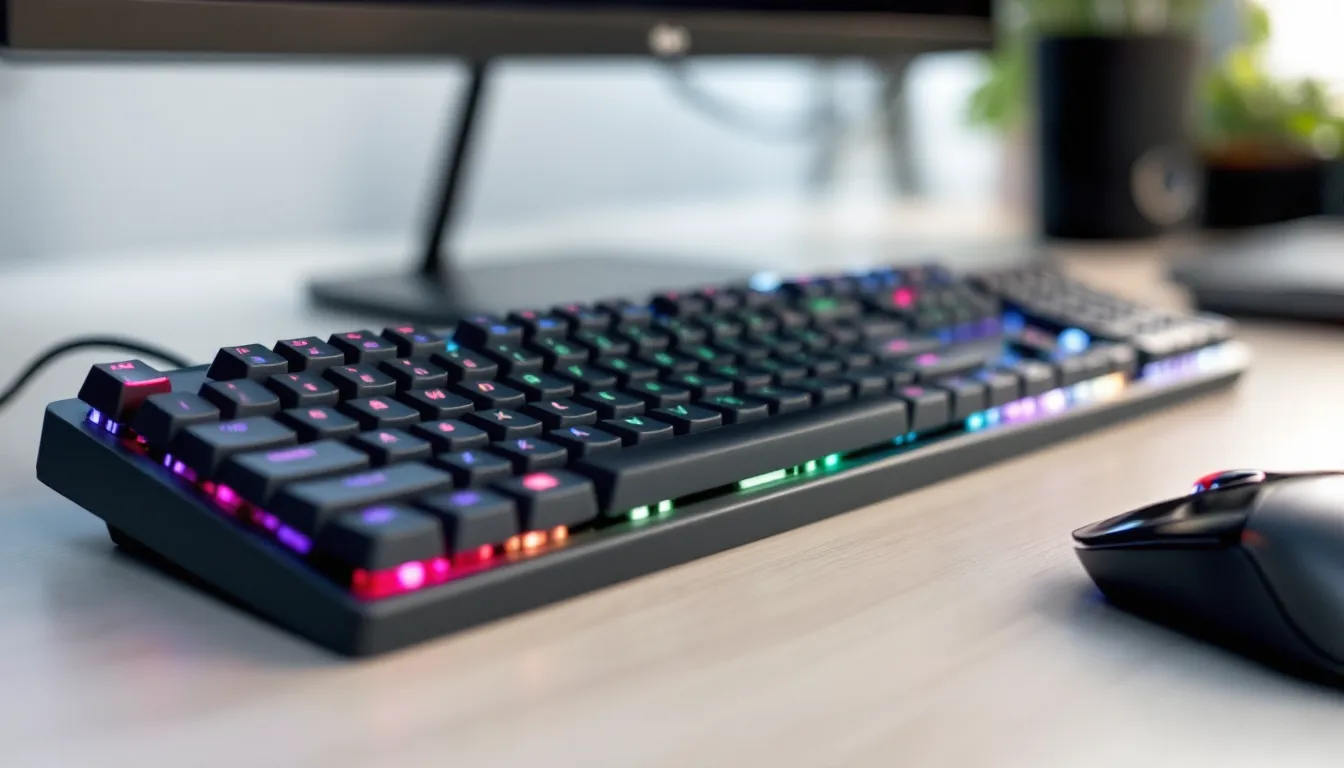
A membrane gaming keyboard uses a pressure pad system instead of individual mechanical switches for each key. When you press a key, it pushes through a flexible membrane layer that completes an electrical circuit, registering the keystroke. It’s the same basic tech you’ll find in most standard office keyboards, but gaming-focused models add features like anti-ghosting, RGB lighting, and dedicated gaming modes.
The key difference from mechanical keyboards isn’t just the tech, it’s the feel and feedback. Membrane boards typically have a softer, mushier press with less tactile response. You won’t get that satisfying click or precise actuation point that mechanical enthusiasts rave about. But that trade-off comes with benefits: lower price points, quieter operation, and often a slimmer profile.
How Membrane Keyboards Work
Under the keycaps of a membrane keyboard, you’ll find three main layers: a top membrane with conductive traces, a middle spacer layer with holes, and a bottom membrane with matching traces. When you press a key, the top membrane flexes down through the spacer hole and makes contact with the bottom layer, completing the circuit.
The actuation happens at the bottom of the key travel, you need to press all the way down for the input to register. There’s no mid-travel actuation like you’d get with mechanical switches. This means membrane keyboards generally require a full press, which can feel less responsive during fast-paced gaming but also reduces accidental key presses.
Most membrane keyboards use a rubber or silicone dome beneath each keycap to provide the return force. These domes give that characteristic “squishy” feeling and the soft sound when bottoming out. The dome material and design directly affect how the keyboard feels, cheaper models use thin, inconsistent domes that feel mushy, while better gaming membranes use firmer, more uniform domes for improved consistency.
Membrane vs. Mechanical: Key Differences Explained
The mechanical versus membrane debate comes down to five core differences: feel, sound, durability, price, and customization.
Feel and feedback: Mechanical switches offer distinct tactile bumps or audible clicks at the actuation point. You know exactly when a keypress registers without bottoming out. Membrane keyboards lack this precision, the actuation point isn’t clearly defined, and you typically need to press all the way down. For typists and competitive gamers who value feedback, this is the biggest drawback.
Sound profile: Membrane keyboards are significantly quieter. The rubber domes absorb most of the noise, producing a muffled thud instead of the sharp clack of mechanical switches. If you’re gaming late at night in a shared apartment or streaming without sound isolation, membrane boards won’t wake up your roommates or bleed into your mic.
Durability: This is where the gap widens. Quality mechanical switches are rated for 50-100 million keypresses. Membrane keyboards typically last 5-10 million presses before the dome material degrades and keys become unresponsive or mushy. Heavy gamers will notice membrane keyboards losing consistency after 1-2 years of intense use.
Price: Membrane keyboards dominate the budget category. You can grab a decent gaming membrane for $30-60, while entry-level mechanical boards start around $60-80 and climb quickly. For gamers building their first setup or working with strict budgets, membrane keyboards remove a major financial barrier.
Customization: Mechanical keyboards win here by a landslide. Hot-swappable switches, custom keycaps, foam mods, lubing, there’s an entire hobby built around customizing mechanical boards. Membrane keyboards offer almost no customization beyond software-based RGB and macro programming. The switches are integrated into the membrane layer, so you can’t swap them out.
Why Gamers Choose Membrane Keyboards
Even though the mechanical keyboard hype, membrane boards hold steady market share among gamers for three practical reasons: they’re cheap, quiet, and portable. Let’s break down why these factors matter more than spec sheets suggest.
Affordability and Budget-Friendly Gaming
Price is the elephant in the room. A solid membrane gaming keyboard costs $30-50. For that same budget, you’re looking at the absolute bottom tier of mechanical keyboards, models with questionable build quality, inconsistent switches, and limited features.
For gamers allocating budget across a monitor, GPU, headset, and mouse, saving $50-100 on a keyboard is meaningful. That’s the difference between a 60Hz and 144Hz monitor, or upgrading from a budget mouse to a competitive-grade sensor. Membrane keyboards let you build a functional gaming setup without compromising on the components that directly impact visual performance and aiming precision.
Budget doesn’t automatically mean poor quality, either. Several manufacturers have stepped up their membrane game in 2026, offering models with genuine gaming features, full RGB, anti-ghosting, dedicated media keys, and even braided cables. The gap between budget membrane and budget mechanical has narrowed considerably when it comes to features and build quality.
Quieter Performance for Shared Spaces
If you’ve ever tried to game at 2 AM with a room-thin wall between you and your sleeping partner, you understand why sound matters. Mechanical keyboards, especially those with clicky Blue switches, are loud. Even “quiet” linear mechanical switches produce noticeable noise when you’re bottoming out keys during intense gaming sessions.
Membrane keyboards solve this problem elegantly. The rubber dome dampens impact, and there’s no stem-on-housing collision like you get with mechanical switches. You can mash your ability rotation in an MMO raid or spam crouch in a shooter without sounding like you’re typing out a manifesto.
This also matters for streamers and content creators. Membrane keyboard noise doesn’t bleed into microphones as aggressively. You can use a budget condenser mic without picking up every keypress, whereas mechanical keyboards often require noise gates, RTX Voice filtering, or expensive dynamic mics to keep typing sounds out of your audio.
Lightweight and Portable Design
Membrane keyboards are typically lighter and slimmer than their mechanical counterparts. Without individual switch housings, the internal structure is less bulky. Many membrane gaming keyboards weigh under 1.5 pounds and measure less than an inch thick.
For LAN party attendees, college gamers moving between dorm and home, or anyone who travels with their setup, this portability is clutch. Toss a membrane keyboard in a backpack without worrying about damaging switches or adding significant weight. Several gaming laptops now include quality membrane keyboards for this exact reason, they’re durable enough for mobile use and don’t add bulk.
The slim profile also benefits desk ergonomics. Low-profile membrane keyboards reduce wrist angle and can improve comfort during long sessions without needing a separate wrist rest. If you’re gaming on a cramped desk or prefer a minimalist setup, membrane boards give you more space for mouse movement.
Performance Considerations: Can Membrane Keyboards Keep Up?
Here’s the honest truth: are membrane keyboards good for gaming? Yes, but with caveats. They’re absolutely viable for most gaming scenarios, but there are performance limitations you need to understand before making a choice.
Response Time and Input Lag
Membrane keyboards have slightly higher actuation force and longer travel distance compared to many mechanical switches. Most membrane boards require 60-70g of force and 3-4mm of travel to register a keypress. Mechanical switches typically actuate at 1.5-2mm with 45-60g of force.
In real-world gaming, this difference is measurable but rarely game-breaking. We’re talking milliseconds. For competitive esports titles where every frame matters, Valorant, CS2, or fighting games, the faster actuation of mechanical switches provides a tangible edge. Pro players overwhelmingly prefer mechanical keyboards, and there’s data to back that preference. According to professional player configurations, over 95% of top-tier competitive gamers use mechanical keyboards.
For casual and intermediate players, though? The bottleneck isn’t your keyboard. Reaction time, game sense, and mechanical skill matter exponentially more than whether your switch actuates at 1.5mm or 3.5mm. If you’re not consistently hitting sub-200ms reactions and playing at high-level competitive ranks, a membrane keyboard won’t hold you back.
Input lag from the keyboard controller itself is negligible on modern gaming membrane keyboards. Most use USB polling rates of 1000Hz (1ms response), matching mechanical boards. The delay you’ll feel comes from the physical actuation mechanics, not the electronic signal transmission.
Durability and Lifespan Expectations
This is where membrane keyboards show their age faster than mechanical alternatives. The rubber or silicone domes degrade with repeated use. After millions of presses, domes lose elasticity, keys start feeling mushy, inconsistent, or fail to register altogether.
Expect a quality membrane gaming keyboard to last 2-3 years under moderate gaming use (2-4 hours daily). Heavy users who game 6+ hours daily might see degradation in 12-18 months, particularly on heavily-used keys like WASD, spacebar, and common ability keys.
The failure pattern is gradual rather than catastrophic. You won’t wake up to a completely dead keyboard. Instead, you’ll notice certain keys requiring harder presses, double-registering, or feeling different from the rest of the board. Competitive gamers find this inconsistency unacceptable, but casual players can often work around it.
Build quality matters significantly here. Cheap $15 office membrane keyboards die in months. Gaming-focused models from reputable brands like Razer, Corsair, or Logitech use higher-quality dome materials and reinforced membranes that extend lifespan considerably. Don’t judge all membrane keyboards by the disposable junk bundled with prebuilt PCs.
Gaming Genre Suitability
Membrane keyboards excel in some gaming genres and struggle in others. Here’s the breakdown:
Strong fit:
- Single-player RPGs and adventure games: Witcher 3, Elden Ring, Baldur’s Gate 3, these games don’t demand lightning-fast inputs or complex simultaneous key presses. Membrane keyboards handle them perfectly.
- Strategy and simulation games: Civilization VI, Cities: Skylines, Total War, turn-based or slower-paced RTS games work fine on membrane. You’re clicking more than typing anyway.
- Casual multiplayer: Fortnite, Apex Legends, Overwatch 2 at casual/intermediate ranks. You can absolutely compete and improve on a membrane keyboard if you’re not pushing for top 500 ranks.
Adequate fit:
- MMORPGs: World of Warcraft, Final Fantasy XIV, Guild Wars 2, membrane keyboards handle ability rotations fine if they have proper anti-ghosting (more on this below). The longer actuation might slow down complex weaving rotations slightly.
- MOBA games: League of Legends, Dota 2, mostly fine for casual through Platinum/Diamond ranks. The precision required at high levels benefits from mechanical feedback.
Questionable fit:
- Competitive FPS: Valorant, CS2, Rainbow Six Siege at high ranks, the faster actuation and consistent feedback of mechanical switches provide measurable advantages. Not impossible on membrane, but you’re handicapping yourself.
- Fighting games: Street Fighter 6, Tekken 8, Guilty Gear Strive, precise timing and frame-perfect inputs benefit enormously from mechanical switches. Most fighting game players use arcade sticks or mechanical keyboards.
- Rhythm games: Any game where timing precision is the core mechanic. Mechanical switches with clear actuation points are objectively better.
Essential Features to Look for in a Membrane Gaming Keyboard
Not all membrane keyboards are created equal. The difference between a $20 office board and a $50 gaming membrane comes down to specific features that directly impact gaming performance. Here’s what actually matters.
Anti-Ghosting and N-Key Rollover
Anti-ghosting prevents missed inputs when you press multiple keys simultaneously. Cheap membrane keyboards are limited by their circuit design, press three keys at once, and one might not register. This is catastrophic in gaming when you’re holding W to run forward, A to strafe, and pressing Space to jump.
Look for keyboards advertising “anti-ghosting” or “conflict-free keys.” Better gaming membranes specify which keys support simultaneous input, often the entire gaming zone (WASD, surrounding keys, and number row). At minimum, you want 10-key anti-ghosting. Better models offer 19-key or even 26-key anti-ghosting.
N-key rollover (NKRO) is the gold standard, every key registers independently regardless of how many you press simultaneously. True NKRO is rare on membrane keyboards due to circuit limitations. Most gaming membranes offer 6-key rollover (6KRO) over USB, which is sufficient for gaming. You’d struggle to press more than six keys simultaneously during actual gameplay.
Test this before buying if possible. Hold W+A+Shift and press Space and other keys. Open Notepad and verify every input registers. Ghosting issues become obvious immediately when you try gaming without proper anti-ghosting support.
RGB Lighting and Customization Options
RGB doesn’t improve performance, but it affects usability and aesthetics. Good RGB implementation offers per-key lighting control, multiple zones, and software customization. This lets you highlight important keys (ability binds, ult keys, weapon swaps) or create visual cues for different game profiles.
In 2026, even budget membrane keyboards include RGB, but quality varies wildly. Check for:
- Brightness levels: Dim RGB is useless in well-lit rooms. Look for boards with adjustable brightness.
- Color accuracy: Cheap LEDs produce washed-out colors. Better membranes use quality diodes with vibrant, accurate colors.
- Software support: Can you customize lighting patterns, or are you stuck with factory presets? Razer Synapse, Corsair iCUE, and Logitech G Hub offer extensive customization.
- Onboard memory: Can the keyboard save lighting profiles without software running? Important for tournament use or multi-PC setups.
Some gamers prefer single-color backlighting (usually red or white) for lower price points and cleaner aesthetics. That’s valid, just ensure the lighting is bright enough for dimly lit gaming sessions.
Programmable Keys and Macro Support
Macro functionality lets you bind complex command sequences to a single key. This matters enormously for MMORPGs, MOBAs, and strategy games where you’re executing multi-step actions repeatedly.
Quality gaming membrane keyboards include software for:
- Key remapping: Change any key’s function. Useful for adapting layouts to personal preference or accessibility needs.
- Macro recording: Record keystroke sequences with precise timing. Critical for crafting rotations in WoW or build orders in StarCraft II.
- Profile switching: Save different configurations for different games. Your Valorant layout differs from your Baldur’s Gate 3 setup.
- On-the-fly macro recording: Some boards let you record macros without opening software, using key combinations on the keyboard itself.
Dedicated macro keys (programmable buttons beyond the standard layout) are rare on membrane keyboards due to cost constraints. Most gaming membranes use the function layer, holding Fn plus another key to access macros or media controls. This works fine but isn’t as convenient as dedicated buttons.
One underrated feature: media controls. Dedicated volume wheel, play/pause, and skip buttons improve quality of life enormously. You don’t need to alt-tab out of your game or use clunky function key combinations to adjust audio.
Top Membrane Gaming Keyboards in 2026
The membrane keyboard market has matured significantly. Here are the standout options across different price brackets as of early 2026, based on testing data and community feedback.
Best Overall Membrane Gaming Keyboard
Razer Cynosa V2 remains the benchmark for balanced performance and features at the $60 price point. It’s been updated for 2026 with improved dome consistency and refined RGB implementation.
Key specs:
- Anti-ghosting: Full 104-key rollover
- RGB: Per-key Razer Chroma lighting with 16.8 million colors
- Programmable keys: Full remapping and macro support via Razer Synapse 3
- Build quality: Spill-resistant design, braided cable, solid ABS construction
- Notable features: Dedicated media keys, gaming mode (disables Windows key), onboard memory for up to 5 profiles
The Cynosa V2 delivers consistent key feel across the entire board, something cheaper membranes struggle with. The dome resistance is firm enough to prevent accidental presses but not fatiguing during extended sessions. According to comprehensive testing from peripheral experts, it rates highly for gaming use even though the membrane switches.
Downsides? It’s still a membrane board, so don’t expect mechanical-level feedback. The keycaps are standard ABS that develop shine after heavy use. And at $60, you’re approaching budget mechanical territory, but you’re getting better features and build quality than $60 mechanical alternatives.
Best Budget Membrane Keyboard
Redragon K502 RGB dominates the under-$30 category. At $25-28 depending on sales, it’s shockingly feature-rich for the price.
Key specs:
- Anti-ghosting: 19-key conflict-free design
- RGB: 7-color zone backlighting (not per-key, but functional)
- Build: Sturdy ABS construction with metal-reinforced bottom plate
- Extra features: 8 dedicated multimedia keys, splash-proof design
The K502 won’t win awards for premium feel, but it’s the best gaming performance you’ll get under $30. The 19-key anti-ghosting covers the entire gaming zone plus number row. The RGB is basic rainbow wave patterns, you can’t customize per-key colors, but it’s bright and visible.
Key feel is acceptable but not great. Some users report inconsistency between keys, and the spacebar can feel mushier than alphanumeric keys. But for first-time PC gamers, college students on shoestring budgets, or anyone building a secondary setup, the K502 delivers incredible value.
Best Premium Membrane Option
Corsair K55 RGB PRO XT represents the upper limit of membrane keyboard engineering at $80-90. It’s designed for gamers who want membrane quietness and affordability but with premium features typically reserved for mechanical boards.
Key specs:
- Anti-ghosting: Full 100% anti-ghosting across all keys
- RGB: Six-zone dynamic RGB with extensive iCUE software integration
- Programmable keys: Six dedicated macro keys plus full remapping
- Build quality: IP42 dust and spill resistance, detachable palm rest, rubber-coated feet
- Extras: Dedicated volume roller, media keys, USB pass-through port
The K55 RGB PRO XT uses Corsair’s “premium membrane switches” with reinforced dome construction. In practice, this means more consistent actuation force and better longevity, expect 3-4 years rather than 2-3. The dedicated macro keys are rare on membrane boards and genuinely useful for MMO and MOBA players.
iCUE integration is exceptional. You can sync RGB effects across all Corsair peripherals, create complex lighting profiles for specific games, and set up extensive macro libraries. The software learning curve is steeper than competitors, but the functionality is unmatched.
At $80-90, you’re firmly in budget mechanical territory. The question becomes: do you value quietness, macro keys, and premium build quality over mechanical feedback? For certain use cases, shared spaces, office/gaming hybrids, late-night gaming, the K55 PRO XT makes sense. For pure competitive performance, invest the $90 in a mechanical board instead.
Maintaining and Maximizing Your Membrane Keyboard’s Lifespan
Membrane keyboards don’t last as long as mechanical alternatives, but proper maintenance significantly extends their functional lifespan. Here’s how to keep your board performing consistently.
Cleaning and Care Tips
Dust, food particles, and debris are membrane keyboards’ worst enemies. Unlike mechanical switches where junk falls through gaps, membrane boards trap debris between the keycap and dome, causing sticking or mushiness.
Weekly maintenance:
- Turn the keyboard upside down and gently tap to dislodge loose debris
- Use compressed air to blow out dust from between keys (hold the can upright to prevent propellant spray)
- Wipe down keycaps with microfiber cloth and isopropyl alcohol for fingerprint removal
Monthly deep cleaning:
- Remove keycaps if possible (some membrane boards have removable caps, others don’t, check your manual)
- Use a keycap puller or carefully pry with a flat tool, working from corners
- Clean exposed membrane surface with slightly damp cloth, never soak it
- Clean keycaps in warm soapy water, rinse thoroughly, and dry completely before reinstalling
- For non-removable keycaps, use compressed air and cotton swabs dipped in isopropyl alcohol to clean around keys
Spill protocol:
Membrane keyboards are more vulnerable to liquid damage than mechanical boards. If you spill liquid:
- Immediately disconnect the keyboard and flip it upside down
- Remove as much liquid as possible, shake it gently over a towel
- If it’s water, let it air dry for 48 hours minimum before testing
- If it’s sugary or sticky liquid (soda, coffee with sugar), you’ll need to open the case and clean the membrane layers with distilled water, then dry for 48-72 hours
- Don’t attempt to use it while wet, you’ll short the circuits
Many gaming membranes advertise spill resistance, which typically means drainage channels in the case. This buys you a few extra seconds to react, but it’s not waterproof.
When to Upgrade or Replace
Membrane keyboards degrade gradually. Watch for these signs it’s time to upgrade:
Performance degradation:
- Keys requiring noticeably harder presses than when new
- Inconsistent actuation, sometimes registering, sometimes not
- Double-registering inputs (one press registers twice)
- Specific keys feeling significantly mushier than others
- Delayed response on frequently-used keys
Physical wear:
- Keycap legends wearing off (printed letters fading)
- Cracked or broken keycaps
- Loose or wobbly keys
- RGB LEDs dying (individual keys going dark)
- Cable damage near the connector
If you’re experiencing performance issues on just a few keys, it might be worth continuing use for non-competitive gaming or general use. But if your main gaming keys (WASD, spacebar, Shift, Ctrl) are degrading, your in-game performance will suffer.
For competitive gamers, replace membrane keyboards every 18-24 months regardless of obvious wear. The subtle consistency degradation affects muscle memory and input precision in ways you won’t consciously notice until you use a fresh board.
Budget membrane keyboards ($20-35) aren’t worth repairing, just replace them. Mid-range to premium models ($50-90) might be worth contacting manufacturer support if you’re within warranty. Most gaming brands offer 2-year warranties that cover performance degradation.
Who Should Buy a Membrane Gaming Keyboard?
After covering specs, performance, and models, the practical question remains: should you specifically choose a membrane keyboard, or is it just a budget compromise?
Membrane keyboards make the most sense for:
Budget-conscious gamers: If your total peripheral budget is under $100 and you need a keyboard, mouse, and headset, a $30-40 membrane keyboard lets you allocate more money toward a better mouse (which impacts gaming performance more directly) or headset. You can always upgrade the keyboard later when budget allows.
Shared living spaces: Roommates, partners, family members, or thin walls make mechanical keyboard noise a real problem. Membrane keyboards let you game without disturbing others or requiring sound-dampening foam mods and O-rings on mechanical switches.
Casual and intermediate players: If you’re playing games for fun rather than competitive ranking, or you’re improving but not yet at high-tier competitive levels, a quality membrane keyboard won’t limit your performance. Your skill development and game sense matter exponentially more than switch type.
Office/gaming hybrid setups: If your keyboard pulls double duty for work and gaming, membrane boards are more office-appropriate. They’re quieter during Zoom calls and don’t attract the “are you playing games during the meeting?” questions that loud mechanical clicking invites.
Mobile gamers and LAN attendees: If you frequently transport your setup, membrane keyboards’ light weight and slim profile make them ideal. Less risk of switch damage during transport, easier to pack, and they take up less space.
Specific game genres: Single-player RPG enthusiasts, strategy gamers, and MMO players who value macro keys over ultra-fast actuation benefit from premium membrane options like the Corsair K55 PRO XT. The performance difference is negligible for these genres.
You should probably skip membrane keyboards if:
You’re a competitive player: Detailed analysis from technology reviewers consistently shows mechanical keyboards providing measurable advantages in competitive FPS, fighting games, and rhythm games. If you’re pushing for rank advancement or playing in tournaments, invest in mechanical.
You value customization: The mechanical keyboard community offers endless customization, switches, keycaps, foam mods, lubing, different layouts. If you want to tinker and optimize your setup, membrane keyboards are a dead end.
Longevity matters more than upfront cost: If you’d rather spend $100-150 once for a keyboard lasting 5-7 years instead of $40 every 2 years, mechanical keyboards offer better long-term value.
You play fighting games or rhythm games: The precision and feedback of mechanical switches aren’t just nice-to-have here, they’re functionally important for frame-perfect inputs and timing-based mechanics.
The membrane versus mechanical debate isn’t binary. Many gamers own both, a mechanical board for competitive sessions and serious play, and a membrane board for casual gaming, work, or late-night sessions when noise matters. There’s no rule saying you must pick one forever.
Conclusion
Membrane gaming keyboards fill a specific but important niche in the gaming peripheral market. They’re not the performance ceiling, but they’re far from the handicap that mechanical purists claim. For budget gamers, shared-space situations, and casual players, a quality membrane keyboard delivers genuine gaming functionality without compromise.
The key is choosing the right model for your specific needs. Don’t settle for generic office membranes, invest in gaming-focused options with anti-ghosting, decent RGB, and solid build quality. The $20 price difference between junk and quality membrane keyboards translates to significantly better gaming experience and longer lifespan.
And remember: your keyboard is just one piece of your setup. A skilled player on a membrane board will destroy a mediocre player on a $200 mechanical. Focus on improving your game sense, aim, and mechanics. Upgrade your peripherals as your skill and budget grow. Your keyboard should support your gaming, not define it.